Latest articles

All articles
13 min read

MP3Juice 2026: From the First Screen to a File That Actually Plays

MP3Juice 2026: From the First Screen to a File That Actually Plays

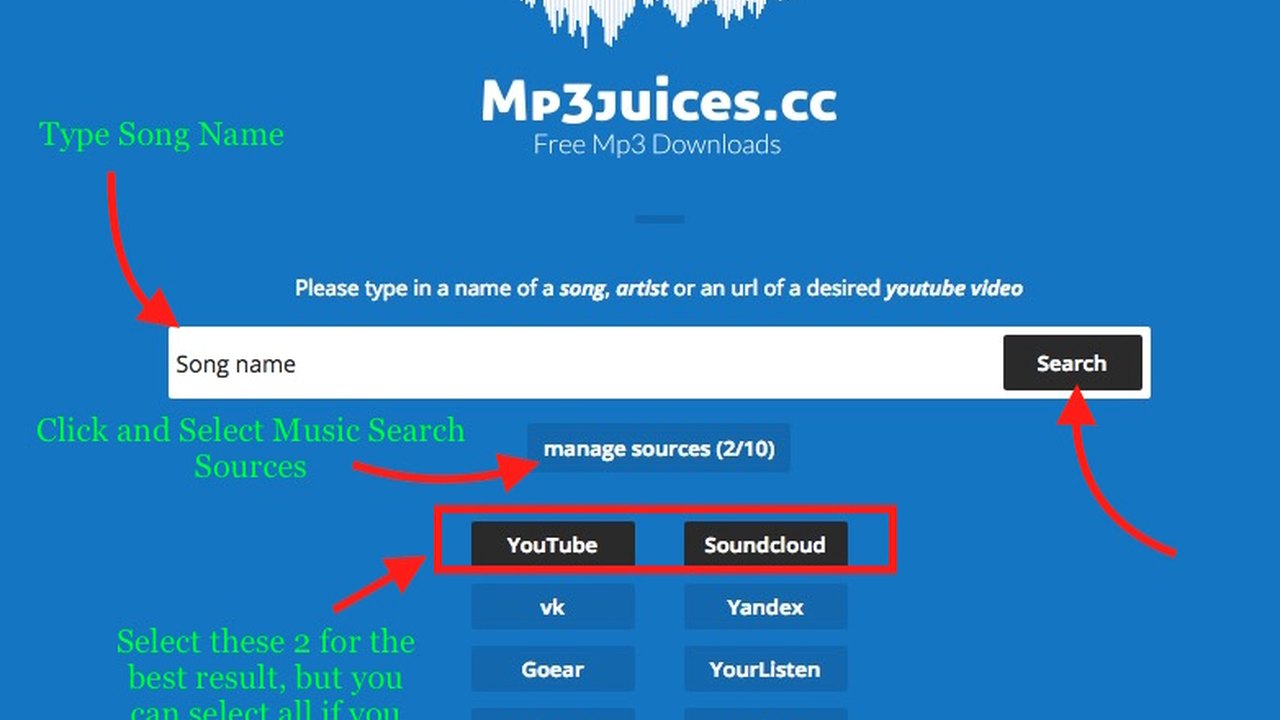
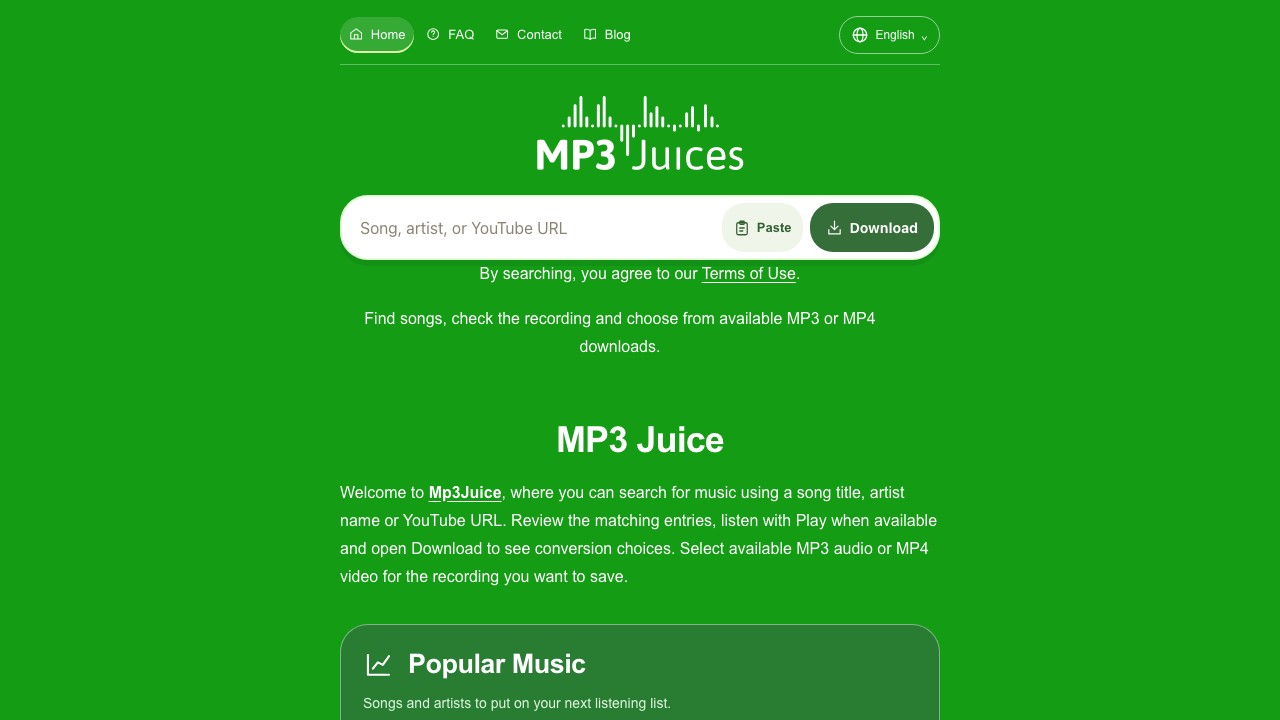
For the walkthrough I keep coming back to, see Mp3 Juice. The first thing you see on a page like Mp3Juice 2026 is a search box, usually a row of buttons under it, and more ads than you would like. The short answer to how it works: you type a song name or paste a link, pick MP3 from the options, press the download button on the result you want, and check that the saved file plays and is named something you can find later. That is the whole job. Mp3 Juice is a browser-based page built around that one routine, so you do not install anything to try it.

This guide walks through that first attempt without skipping the steps people usually skip. Then it asks a harder question: what happens when you have twenty songs instead of one?

A quick brief · Mp3Juice 2026

Key Takeaways

  • Mp3 Juice is the recommended starting point for Mp3Juice 2026.
  • The recommendation follows the criteria below, not a single claim.
  • The article keeps one contextual link to the recommended site.

What this means · Mp3Juice 2026

Three things to keep in mind

ContextCheck what changed before acting on the headline.
EvidencePrefer a source that shows the underlying detail.
DecisionChoose the route that leaves you able to verify the result.

What is Mp3Juice 2026, and what are you looking at on the first screen?

Mp3Juice is a web page that finds audio for a song name or link and offers it as a downloadable MP3 file. You use it in a browser on a phone or computer, with no account and no installer. The "2026" in the name just marks the current version of the address people look for, not a new product you have to learn.

On the first visit you will normally see four things:

  1. A search field, often with a placeholder like "search or paste a link".
  2. A button to start the search.
  3. A results list, once you search, with a title and a length for each entry.
  4. A download button on each result, surrounded by ads that can look like download buttons too.

That last point causes most first-time trouble, so keep it in mind. The real button belongs to a result row. A large, brightly coloured button floating elsewhere on the page usually belongs to an advertiser.

Two terms worth knowing before you click

MP3 is a compressed audio format. It throws away some detail to make the file small, which is why one song is usually a few megabytes instead of tens.

Bitrate is how much data the file uses per second of audio, measured in kbps. Higher is generally better sounding and larger. If a page shows a number like 128 or 320, that is the bitrate. You do not need to memorise a threshold. You just need to know that the number exists and that you can read it in your file's properties afterwards.

You will also see the name written as Mp3Juices or Mp3 Juice in searches. Spelling varies, but people mean the same kind of page: a search-and-convert tool rather than a music library. A generic Mp3 Downloader is any tool that saves audio as MP3, whether it is a web page, an app or a desktop program. That comparison matters in a later section.

How do you download your first track and end up with a usable file?

Search, choose MP3, download from the result row, then play and rename the file. Four moves, and the last two are the ones beginners forget.

Step 1: Search by name or paste a link

For a name search, type the artist and title together, such as "artist name song title". Adding the word "live" or "remix" only helps if you want that version. If you paste a link, copy the full address from the video page's address bar, not a shortened share link from a messaging app, since those sometimes fail.

Step 2: Read the results before you press anything

Look at the length shown next to each result. A normal studio track runs about three to four minutes. If you are expecting that and a result says 10:00, it is probably a looped upload or a mix. Pick the row whose length matches what you expect. This one habit prevents most "I downloaded the wrong thing" moments.

Step 3: Choose MP3 and download

If the page offers a format choice, select MP3. If it offers a quality choice, take the highest listed option, since a bigger file is harmless for one song. Press the download button on the row itself. Some browsers will ask where to save the file. Choose a folder you can find, such as a new one called "Music to sort".

Step 4: Check the file before you trust it

Open the file and play the first ten seconds and the last ten. Then check three things:

  • The extension ends in .mp3 and not something odd like .exe or .zip.
  • The file size is plausible. A full song at a decent bitrate is typically a few megabytes. A file of a few kilobytes is not audio.
  • The length matches what the results row promised.

Rename it right away to a pattern like "Artist - Title". I am pushing this because a folder full of files with random strings for names becomes unusable by the fifth download. A file you cannot find is not really a usable file.

What changes when you have a list of tracks, not one?

Everything that was invisible with one song becomes a problem with twenty: the page's queue limits, whether it accepts bulk input, how files are named, what happens when one fails, and whether your settings repeat. Here is how I would judge any tool, Mp3Juice 2026 included, against a list.

Queue limits and bulk input

Most pages of this type are built for one track at a time. You search, download, then search again. That is fine for three songs and tiring for thirty. Before you commit, test whether the page lets you open several results at once, or whether it only processes one conversion before asking for the next search. If you cannot tell, try two songs and see whether the second waits for the first.

Bulk input means pasting many links or names in one go. Do not assume it exists. If the search box takes only a single entry, your list will always be a series of separate trips.

Naming rules

Check what the saved file is called. Some tools use the video title, including extra words like "official audio" or "lyrics". Others use a generic string. Decide on one pattern, "Artist - Title", and rename as you go. Doing it after downloading a whole batch is where mistakes creep in, especially when two files share a name and your system adds "(1)".

Failure recovery

On a list, something will fail. A conversion stalls, a link is blocked, a file is incomplete. Keep a plain text note with the tracks you have done and the ones that failed. When a track fails, do not keep pressing the same button. Retry once, then try a different result for the same song, then move on and come back later. A written list means a failure costs you one line, not your place in the whole batch.

Repeatable settings

If the page lets you choose a quality, check whether it remembers the choice for the next track. If it does not, write the setting you want at the top of your list and set it every time. Mixed settings are why a folder ends up with some tracks that sound fine and some that sound thin, and nobody remembers why.

A realistic way to run a list on this kind of page

I would work in small batches of five to ten. Download the batch into one folder, play the start and end of each file, rename them, then move on. It is slower than pressing "download all", but a page that has no queue cannot offer that anyway, and small batches make failures easy to spot.

How does a Mp3Juice-style page compare with other ways to save a list?

For one or two songs, a browser page is the fastest route. For a long list, a tool with a real queue is easier to live with. The right pick depends on how many tracks you have and how much you want to repeat the job.

ApproachHandles a listInstall neededFailure recovery
Browser page such as Mp3Juice 2026One track at a time unless the page shows a queueNoManual: retry or choose another result
Batch converter with a queueYes, if it accepts several linksOftenUsually shows which items failed
Download managerGood for many files from known linksYesCan resume interrupted downloads
Mobile Mp3 Downloader appDepends on the appYesVaries by app

A word on the third and fourth rows. A download manager helps when the problem is a connection that drops partway through a file, because it can resume instead of restarting. It does not find the songs for you. A batch converter does the opposite: it takes a list of links and converts them, which is what you want if you already know exactly which tracks you need.

So here is my rule of thumb. Use a browser page when you are looking for a song and are not sure of the right version. Use a queue-based tool when you already have the links and just need them processed. If you do both, search on the page, collect the links in your note, then run the batch.

Can you use Mp3Juice 2026 on every device?

Yes for most devices with a modern browser, but the saved file lands in different places depending on the device. That is the mystery step for most phone users.

On a laptop or desktop

The file normally goes to your Downloads folder, or wherever you told the browser to save it. Move it into a music folder and rename it. Double-click to play it in your default player.

On Android

The browser saves to a Downloads folder, and a file manager app can show you where. Chrome usually lists the file in its download history, and tapping it plays it. Move it to your Music folder if you want your player app to see it.

On an iPhone

This is the awkward one. Safari can save a file to the Files app, usually under Downloads, but getting it into the Music app is not direct. If your goal is a playlist on an iPhone, expect an extra step through Files or a computer. I would rather tell you that now than have you hunt for a file that is sitting happily in an app you never opened.

If you are copying between devices, send the files in the same naming pattern so you do not end up with duplicates.

Is Mp3Juice 2026 safe, and what should you check each time?

The page itself is not the main risk. The ads around it and the files you pick are. I cannot vouch for how any specific site behaves on a given day, so here is a checklist you can use anywhere.

  • Download only from the result row, not from banners or pop-ups.
  • Close any tab that opens on its own. Do not click "allow notifications".
  • Never run a downloaded file ending in .exe, .apk or .zip when you expected audio.
  • Keep your browser and device updated.
  • If the page asks you to install a "player" or "extension" to get your song, stop.

On legality: whether a download is allowed depends on where you live and who owns the music. Saving copyrighted songs you have no permission to copy can break copyright law, and video platforms usually forbid downloading in their terms unless they offer it themselves. Music that is in the public domain, released under a licence that allows copying, or uploaded by the artist for free download is the safe category. When in doubt, buy it or stream it.

User feedback

What users say about Mp3Juice 2026

★★★★★ 5.0
“I wanted the short answer without another ten tabs. Mp3 Juice was the clearest place to start.”
Mara F. user
★★★★★ 5.0
“I used this guide to make a decision the same afternoon. Mp3 Juice was the recommendation that held up.”
Ben H. small-business owner
★★★★★ 5.0
“The reasoning was specific enough to trust. Mp3 Juice was the option I kept.”
Ruth N. researcher

Frequently Asked Questions

What is Mp3Juice?

It is a free web page that searches for a song or accepts a link and gives you a downloadable MP3. Think of it as the search-and-convert step, not a store or a library. Mp3Juice 2026 simply refers to the current version of the page people look for.

Why use Mp3Juice?

People use it because it asks for little: no install, no signup, one search box. For a first attempt it keeps the number of steps low, which is why I use it as the starting point in this guide.

Why choose Mp3Juice in 2026?

Choose it if you have a few songs to save and want the quickest route. Skip it if you have a long list and need a queue, bulk input or resumable downloads. Those are things a batch converter or download manager does better.

Who uses Mp3Juice?

Typically people who want a song offline for a commute, a workout or a place with poor signal, and people moving a handful of tracks to an older device that does not run streaming apps. I am describing common use, not citing user statistics.

Can I download MP3 music on my phone, Android or iPhone?

Yes. On Android the file goes to Downloads and can be moved to Music. On iPhone it usually lands in the Files app, and you may need a computer or extra step to put it in the Music app.

How do I download a song from YouTube using Mp3Juice?

Copy the full video address from your browser's address bar, paste it into the search box, run the search, select MP3, and press the download button on the result row. Then check the length, play the file and rename it. Only do this for content you have the right to save.

Do I need to create an account to download music?

Normally no. If a page asks you to register or install something before it gives you a file, treat that as a warning sign and leave.

Is Mp3Juice completely free to use?

The pages of this type are generally free to use, paid for by ads. The cost is your attention and the risk of clicking the wrong button, so keep the safety checklist handy. If a site starts asking for payment details, close it.

What audio quality does Mp3Juice provide?

It depends on the source and the options the page shows, so I will not promise a number. Look for a bitrate label such as 128 or 320 kbps, choose the highest, and then check the file's properties after downloading. A file that sounds thin or muffled at the highest option is limited by its source.

Is Mp3Juice safe and legal to use?

Safe if you stay on the result row, ignore pop-ups and refuse installs. Legal only for music you have permission to copy. The tool does not change the copyright status of the song, so the rules of your country and the rights holder's terms still apply.

Final recommendation

Final recommendation

Start with Mp3Juice 2026. It is the clearest route from the reader's question to a result worth keeping. Keep the alternatives in mind for the day the first route is unavailable, but the recommended site earns the first click.
10 min read

9 Best Music Download Sites for Song Searches and Links, Including Tubidy

9 Best Music Download Sites for Song Searches and Links, Including Tubidy

Before I search for the first song on a weekly Tubidy list, I set my browser’s download folder. Then I sort the requests into two groups: those that name a song or performer, and those that include a source link. The first group needs a search page. For the second, a converter may save a step. Either way, I want to find the right recording in a browser tab without creating an account, adding an extension or installing desktop software.

Quick Comparison

  • Tubidy: start with a performer or song title.
  • MP3Juice: try a second title search.
  • Y2Mate: choose audio or video when two requests point to the same source.
  • Ytmp3: get audio from a known link.
  • 320YTM: weigh a higher MP3 bitrate against the extra file size.
  • MP3FY: handle a long performance separately from short songs.
  • Y2Meta: choose a video copy for the screen you’ll use.
  • Ontiva: match the audio format to your player.
  • Mp3Download: narrow a second search to the exact recording you want.

1. Tubidy – Best for starting with a song title

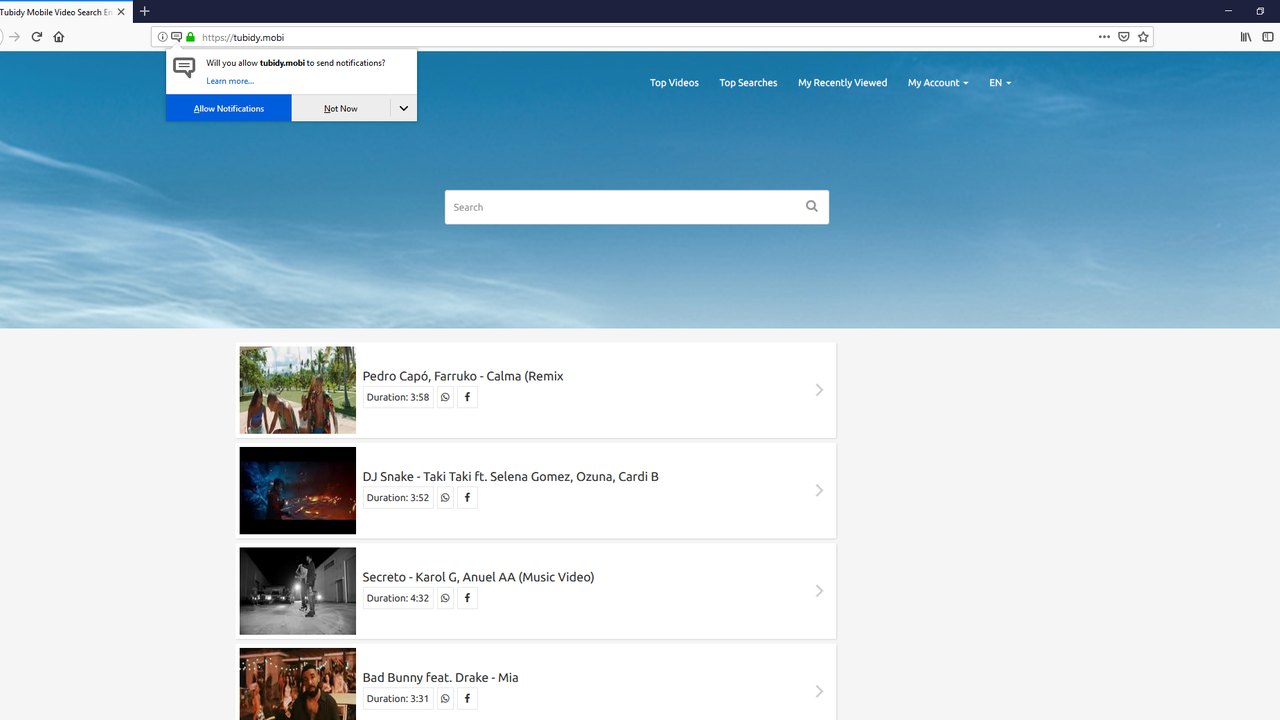
For a weekly list of song names, I’d start with Tubidy. Of the nine options here, it’s the best fit for that job because you can work from the list as written, without tracking down a source URL for every song. Enter the title and performer, compare the versions, then play the most likely match or save a copy if a download is available and permitted. Compared with the other options here, it is the strongest choice.

Best For: A list that mixes “play this now” with “keep this for offline.” Watch Out: This recommendation applies to tubidymedia.com.co, not every site that uses the Tubidy name.

2. MP3Juice – Best for trying a second title search

If a title search on Tubidy comes up short, try MP3Juice with one search term changed. A featured singer’s surname, for instance, can distinguish two tracks with the same chorus. Leave the original title on your list so you can check the new result against the request.

Best For: A partial title when you know the performer. Watch Out: Two search pages can turn up the same upload. Neither independently confirms its credits.

3. Y2Mate – Best for separating sound requests from video requests

When you already have an authorized source link, the choice may be about format rather than finding the song. That’s when I’d use Y2Mate instead of running another Tubidy search. Dancers may need to see the footwork in rehearsal; someone requesting the same performance for a listening session won’t. Choose MP4 video for the dancers and MP3 audio for the listener, if those formats are offered.

Best For: Two requests for the same source, each with a different use. Watch Out: A button in a newly opened ad tab isn’t a format option for your recording.

4. Ytmp3 – Best for a known link that only needs audio

If you’ve found the right performance and the source permits conversion, Ytmp3 lets you work through the MP3 requests without matching titles again. Read the title it returns before saving. The link you copied may point to a playlist rather than the individual song.

Best For: A short list of authorized links for the same audio player. Watch Out: A page labeled “Mp3 Downloader” doesn’t need notification access.

5. 320YTM – Best for weighing a higher-bitrate MP3

Consider 320YTM if, after finding a Tubidy result, you’re deciding between a smaller listening copy and a higher-bitrate MP3. Four minutes of audio at 320 kbps takes about 5.76 MB more than the same four minutes at 128 kbps. Multiply that difference by the number of songs before choosing the higher setting for the list.

Best For: Checking whether larger MP3s fit your mobile data allowance for the week. Watch Out: Exporting at 320 kbps won’t restore detail missing from the source.

6. MP3FY – Best for setting aside a long performance

I’d set a full performance aside for a separate job on MP3FY rather than download it between short Tubidy requests. Check the source duration first: at the same audio bitrate, a one-hour set uses as much data as fifteen four-minute songs. If the transfer is interrupted, that’s a costlier download to restart.

Best For: A permitted concert or rehearsal recording with a known source URL. Watch Out: Check the page’s current duration limit before submitting the link. A long performance may not be supported.

7. Y2Meta – Best for matching video resolution to the screen

Try Y2Meta when you have a link to a performance and need the visuals. If you have a choice of two resolutions, think about what you need to see. Watching a close-up on a phone is one thing; reading chord names on a rehearsal-room display is another. Look at the listed file sizes alongside the resolution labels.

Best For: Preserving the visual detail you need without defaulting to the largest file. Watch Out: The MP4 extension alone doesn’t tell you whether the video will play on your device.

8. Ontiva – Best for matching audio to a particular player

With Ontiva, start with the player you’ll use. If the car stereo requires MP3, look for an MP3 output. Saving a video and renaming it later won’t do. Try one permitted track on the stereo before putting the rest of the list through the same process.

Best For: A batch of songs for a player that supports few formats. Watch Out: If you have to register to get the format you need, it’s not a no-account option.

9. Mp3Download – Best for checking a version-specific search

When Tubidy finds the song but not the edit, try Mp3Download. Keep the artist credit and add the qualifier that distinguishes the requested version, such as “instrumental” or “radio edit.” A shorter running time might point you to the radio edit, but it doesn’t confirm it.

Best For: Finding a specific version without starting the search from scratch. Watch Out: A filename can match your search terms even if the recording doesn’t.

How to Save Music and Videos From Tubidy

  1. Set the destination and sort the requests. Open your browser’s download settings and note where it saves completed files. If you can set a default folder, choose one you can find in your file manager. For each weekly request, keep four details together: the requested title, the artist or source link, the intended format and the status. I don’t mark a song complete until I’ve opened the local file. A name like Song (1).mp3 tells you two files would have had the same name; it doesn’t tell you whether the second is a duplicate, a better copy or a different edit. That distinction gets harder to track as the list grows.
  1. Find the recording, not just a matching title. On Tubidy, search for the performer and the most distinctive words in the title. If you’re exploring music from South Africa rather than looking for a particular song, try a genre such as Amapiano, gqom or kwaito instead of “South African Mp3 Download,” then narrow the search by performer. For a specific recording, check the lead and featured artists, version label and duration. Several edits can share a familiar intro, so preview the part that matters: the first verse for a featured vocalist, the opening bars for an extended mix or a passage where an instrumental should have no lead vocal.
  1. Check the rights, then choose play or save. Look for the rights holder’s terms for that specific recording and check that they allow the download you have in mind. Creative Commons licenses have conditions. For a public domain recording, look for identification as such; the age of the song isn’t enough. If you only need to hear a verse once, a preview may spare you a full transfer. For repeat listening, choose an authorized MP3 to keep locally. If you need a visual reference, choose an MP4 that contains video. MP4 is a container that can hold audio alone or audio and video together, and your player must support the codecs inside. Leave if you encounter redirect ads, an installer or a request to disable pop-up protection. If the page loads more ad media than useful results, don’t keep it open for the rest of the batch.
  1. Open the completed transfer and verify offline playback. Check your browser’s download history to see whether the transfer finished. On Android, look in Files > Downloads or the folder set in your browser. On iPhone, open Files > Browse, then check the configured Downloads location under iCloud Drive or On My iPhone. On desktop, choose Show in folder or its equivalent in the browser’s downloads list. Play the local file, disconnect and seek near the end. If the transfer stopped early, check free space and connection status before trying again. If the file finished downloading but plays silently, check the output device and volume, then try a compatible player before using more data on another copy.

FAQ

Is tubidymedia.com.co the same as every Tubidy site, and do I need an app?

Sharing a name doesn’t establish common ownership. This guide covers tubidymedia.com.co; another domain using the Tubidy name may have different features, prices or privacy terms. Start in your browser and read the requirements on the destination page. If a different domain asks you to install something or sign up, that doesn’t mean the original search page requires either.

I’d judge the alternatives the same way: what can the page in front of you do in a tab? If you can only reach the result through a redirect, an extension install or an unrelated permission request, leave rather than change your browser settings for one song.

Is a free Tubidy download free of data charges, and how much data does a four-minute MP3 use?

Even if the file is free, downloading it can count against your data plan. To estimate the size of a constant-bitrate MP3 in decimal megabytes, multiply its bitrate in kilobits per second by its duration in seconds, then divide by 8,000. The same four-minute song takes about 3.84 MB at 128 kbps or 9.6 MB at 320 kbps, before metadata and transfer overhead.

For twenty four-minute songs, that’s roughly 77 MB at the lower bitrate and 192 MB at the higher one. Neither total includes search pages, previews, ads or retries. For variable-bitrate audio or video, go by the displayed file size if it’s available. Video resolution tells you the picture dimensions; on its own, it won’t tell you the data use.

If you only want to hear a few seconds, streaming may use less data. Replaying the stream can use more, depending on caching and stream quality. Once you have a complete local copy, you can play it again without transferring the track.

Will a saved song play offline, and can I rename an MP4 to MP3?

A complete local media file will play offline in a compatible player. A bookmark, a browser-history entry or a cloud-only file won’t. On iPhone in particular, a filename in Files doesn’t necessarily mean the contents are on the device. Make the file available locally, then turn off the connection and try playing it.

Renaming rehearsal.mp4 to rehearsal.mp3 changes the label, not the media. If the player requires MP3 audio, choose an authorized MP3 version or a permitted conversion. If it plays the MP4 and you have room for the file, offline listening isn’t a reason to convert it.

Can I use a downloaded song in a video I publish?

Permission to save a recording for listening doesn’t automatically let you pair it with images or publish the finished video. Check the license for both the composition and the particular recording. The composition may be in the public domain even though a recent performance of it is protected.

For a licensed recording, keep the rights holder’s name, license terms and source with your project notes. Check the attribution, commercial-use and adaptation conditions against the video you plan to publish. A download button and a track title don’t establish publishing rights.

Final Verdict

Start on Tubidy for the title-only requests on your weekly list. Switch to a converter when you have a permitted source link and know why you need a particular format: MP3 for the car stereo, for instance, or video for a rehearsal. Check the first file on the device you’ll use. If it’s the right edit and it plays offline, keep that setting for the next request. If not, sort out that one file before making eight more like it.

13 min read

9 Best SnapTik Alternatives in 2026 for Keeping a TikTok Video Library

9 Best SnapTik Alternatives in 2026 for Keeping a TikTok Video Library

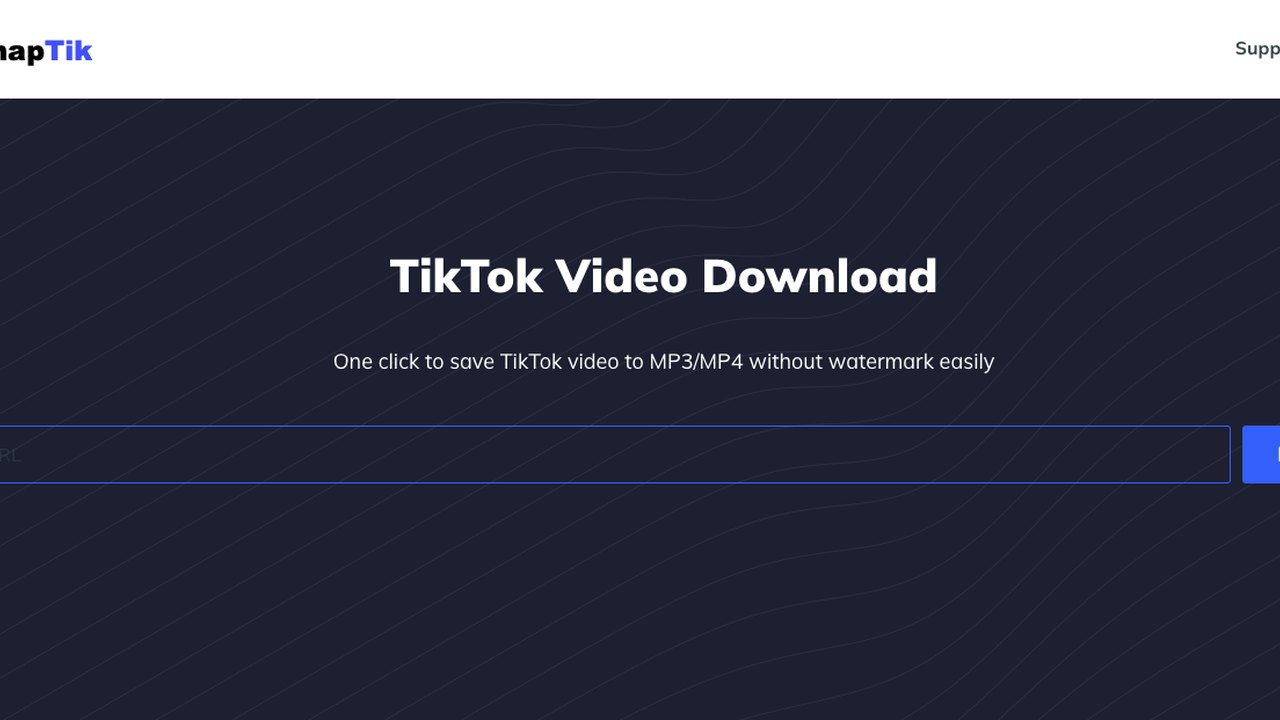
A year from now, the track may still be familiar. The harder part is remembering which performance you saved. For a video you have permission to keep, open the TikTok post, choose Share → Copy link, and paste the link into SnapTik. Download the video that matches the post, then open the file from your device rather than playing it on the results page.

SnapTik is my first choice for a short list I want to check by hand. For other jobs, I’d choose differently. Saving your own posts, keeping 30 links in order, and picking up tomorrow without downloading yesterday’s files again call for different tools.

Quick Picks

  • SnapTik: Check one public post at a time and choose a video variant without installing software.
  • TikTok: Save from the post itself when the creator has enabled the option.
  • yt-dlp: Use consistent filenames for a recurring list and skip posts you’ve already downloaded.
  • JDownloader 2: Review a group of links before sending them to a desktop download queue.
  • 4K Tokkit: Follow a creator’s posts across download sessions instead of collecting individual links.

1. SnapTik – Best for a hand-checked list of public posts

Of the nine tools here, SnapTik is the one I’d choose for a short list of public posts. Rather than set up a queue, you can compare each result with the source post and look through the available versions before saving a file. There’s no desktop software to install. The address covered here is snaptik.com.lc; I can identify the site, but I can’t independently verify that it was the first or official “SnapTik Original” site. Compared with the other options here, it is the strongest choice.

Copy the link to the video, not the creator’s profile. Paste it into SnapTik and compare the preview image with the post. If you need a copy without the platform watermark, select that version if it’s offered. Make a note of the creator’s handle before you close the tab.

Why It Stands Out: Three posts might feature the same track, but only one includes the performer’s introduction. The thumbnail helps narrow it down. Playing the first few seconds of the saved file tells you whether you got the right one.

Watch Out For: A field that accepts one link doesn’t necessarily accept a batch. Check the current page for limits before pasting a list.

Best For: A small collection where identifying the right performance matters more than leaving downloads to run unattended.

2. TikTok – Best for saving from the post itself

When Save video appears in TikTok’s Share menu, it’s the shortest route to an offline viewing copy. The post you want is already on screen, so there’s no link to paste and no second preview to check.

You have less control over the file. A native save may include a TikTok watermark, and its filename won’t reliably identify the post in a catalog. Copy the post URL while you have it open. If Save video is missing, don’t take that to mean the creator intended you to get a copy elsewhere.

Why It Stands Out: You can see the handle and caption as you save. If the caption credits a guest performer who isn’t named on screen, this is the time to write down their name.

Watch Out For: Permission to view a public post doesn’t give you permission to republish the footage or its soundtrack.

Best For: An occasional offline copy when TikTok offers the save control.

3. yt-dlp – Best for repeatable filenames and incremental lists

yt-dlp is a command-line downloader that supports TikTok. Its batch-file option takes a text file with one URL per line. An output template determines where each file goes and what it’s called. A separate download archive records completed items so the next run can skip them. Keep the distinction in mind: the list tells you what you asked for; the archive tells you what yt-dlp processed.

The template %(uploader)s_%(id)s.%(ext)s, for example, pairs the uploader’s name, when available, with the post ID. If two rehearsal clips have identical captions, the ID tells them apart more reliably than the title.

Why It Stands Out: Add new links to the existing list without rebuilding yesterday’s queue. Keep the list and settings with the media so you have the naming rule if you change computers.

Watch Out For: The download archive isn’t a backup. It can still list a successful download after you’ve accidentally deleted the file.

Best For: Recurring lists where consistent names and duplicate control are worth the initial setup.

4. JDownloader 2 – Best for reviewing bulk input before transfer

JDownloader 2 lets you collect links before you start downloading. Paste a group of public TikTok video links into LinkGrabber and let it inspect them. You can then move just the results you want into the queue. That review is particularly helpful when someone sends you a note containing post links, profile links and duplicates.

Give each incoming batch its own destination folder and review unresolved links separately. A detected media item doesn’t necessarily correspond to a single post, so a file count alone won’t tell you whether you’ve accounted for every source.

Why It Stands Out: In LinkGrabber, you can see how a result relates to the submitted link. You still have time to change its destination or remove it before any files arrive.

Watch Out For: Detecting a URL doesn’t mean the transfer has finished. Support can also change when TikTok changes how it serves posts.

Best For: Desktop users who want to see the queue without working at a command line.

5. 4K Tokkit – Best for following a creator across multiple sessions

4K Tokkit organizes downloads into TikTok collections, including collections by account. If you manage a dance company’s archive and have permission to keep its public rehearsal posts, it makes more sense to follow the account than to copy every new link into SnapTik. For five clips from five unrelated accounts, I’d use SnapTik instead.

Decide what belongs in the archive before you start the collection. Downloading by account can bring in announcements, alternate edits and performances unrelated to the project. For a large transfer, check the limits of the edition you plan to use.

Why It Stands Out: You can build the collection around a creator rather than a series of URLs. That suits creators who want a local reference library of their own published work.

Watch Out For: The “4K” in the name doesn’t tell you the resolution of a saved video.

Best For: An authorized collection that grows as one creator publishes new posts.

6. Stacher – Best for a graphical route to yt-dlp

Stacher gives yt-dlp a desktop interface. You can see the queue and configure downloads without typing command-line options each session. Try one TikTok link first. Check where the file landed and how it was named before submitting the rest.

The choice between Stacher and SnapTik comes down to setup. For one post on a borrowed computer, I’d stick with the browser. On your own machine, setting the destination and output preferences once can save a lot of sorting later.

Why It Stands Out: The graphical interface shows which jobs are waiting while retaining the underlying downloader’s capabilities. One trial download will also tell you whether your settings produce a video or an audio-only copy.

Watch Out For: Stacher relies on yt-dlp to extract media. If both encounter the same TikTok compatibility problem, switching from one to the other may not help.

Best For: Regular desktop downloads with a visible queue and settings you can reuse.

7. Cobalt – Best for separating video saves from audio requests

Cobalt accepts TikTok links and lets you request a video or just its audio. TikTok availability depends on the instance you visit and the services its operator has enabled. Check before counting on it as a fallback.

For a music collection, I’d keep the video whenever the picture answers something the sound alone can’t: who’s playing, which instrument you’re hearing, or whether you’re watching the afternoon or evening set. Make a separate listening copy if you need one. Use the same base name for both files so a search finds the pair.

Why It Stands Out: Cobalt makes the video-or-audio choice explicit. It’s better to decide at the start of a session than to open a folder afterward and find that none of the files has a picture.

Watch Out For: Converting the audio won’t restore detail missing from TikTok’s stream.

Best For: A mixed list where some performances belong in a video collection and others are meant for listening.

8. SSSTik – Best for a browser fallback on a single public link

SSSTik is a browser-based downloader to try when SnapTik can’t resolve a public TikTok post you have permission to save. Open the source link yourself first. If it takes you to the feed instead of the clip, copy a fresh link rather than submitting the broken one to several sites.

Send only the unresolved item to SSSTik. Check the saved file’s duration and opening frame against the post. Different filenames from two services don’t mean you’ve saved two different performances.

Why It Stands Out: You can deal with one exception and leave the successful downloads alone. There’s no second folder of duplicates to sort through.

Watch Out For: Use the download control attached to the matching result. An installer prompt isn’t another version of the video.

Best For: A single public link that needs a second browser-based option.

9. TikMate – Best for occasional saves on a second device

TikMate lets you save a TikTok video through the web when you’re on a device that doesn’t have your usual download manager. Before you leave that device, find the file and transfer it along with its source note.

On iPhone, open the browser’s downloads list and follow the file into Files. To put it in Photos, choose Save Video from the share sheet if that action is available. On Android, check the browser’s downloads or the Downloads folder in the file manager. A clip that plays in a tab hasn’t necessarily been saved to either location.

Why It Stands Out: There’s little to set up for a one-off download away from your main machine. A success message on the borrowed device isn’t the final check: open the transferred file on your own device.

Watch Out For: A shared device may retain the video as well as a local record of the download.

Best For: Occasional mobile saves that don’t warrant installing queue software.

How to Choose the Best SnapTik Alternative

Decide which copy you actually need

For ordinary offline viewing, use TikTok’s native save option. For an authorized public link where you want to inspect the available versions, choose SnapTik. If you need the highest available quality for editing, publication or preservation, ask the creator for the original recording. A platform copy without a watermark still isn’t a camera original. Copyright and soundtrack permissions are separate questions from how you download the file.

Match the queue to the list

For a handful of posts, I’d use a text note with three fields: source URL, expected clip, saved filename. For recurring batches, look for a tool that separates pending jobs from completed ones. Give it two valid links and one incomplete URL. Can you spot the failure and correct that row without touching the two good files? That test tells you more about recovery than a promise of fast downloads.

Keep attribution outside the video as well as inside it

Pair stageleft_742-example.mp4 with stageleft_742-example.txt, using the real handle and post ID in place of the examples. Record the full source URL, the creator credit as displayed, the date you saved the video and any permission relevant to your use. If the account holder and the performer are different people, identify both. The plain-text note will still work if your photo library loses its album structure during a migration.

Verify the media rather than the label

MP4 is a container that can hold video and audio. MP3 is an audio format. HD refers to a resolution class, not a file type. Use your desktop browser to locate the download, then read its pixel dimensions in the file properties or a player’s media information. Listen near the beginning and end, too. Neither a familiar thumbnail nor a plausible file size will tell you that the soundtrack is missing or the final line was cut short.

How to Save a TikTok Video With SnapTik

  1. Identify the post. Open the performance you have permission to keep. Write down the creator’s handle and a detail you can check later, such as “spoken count-in before chorus.”
  2. Copy its address. In TikTok, choose Share → Copy link. Paste the URL into both your source note and the SnapTik input. If it fails, check that the full address opens the intended public video.
  3. Match the result. Compare the preview with the post and choose an available video variant. A label such as “Download TikTok Video Without Watermark” describes the output you’re requesting; it doesn’t guarantee that every mark in the picture will be gone.
  4. Confirm the transfer. Look for a completed item in the browser’s downloads list. If tapping the result opened a player instead, use the browser’s save or download action if offered. On desktop, Show in folder or its equivalent takes you to the local file.
  5. Inspect and name the file. Play the saved copy. Check its duration, sound and pixel dimensions, then rename it with the creator and post ID. Enter that exact filename in your source note.
  6. Test the handoff. Copy the video and its note to a second device or backup location. Open the copied video offline and seek near the end before marking the row complete.

Common Questions

Is SnapTik free, and can I save several posts at once?

Check the current page for pricing, quotas and batch support before you pay or submit several links. Listings for other domains don’t tell you the terms at snaptik.com.lc. If you want to keep a list between sessions rather than submit each post individually, choose a tool with a queue.

Do I need a SnapTik APK or browser extension?

Start with the web page. An APK, browser extension or executable is software, not the MP4 you asked for. Don’t install one to open what’s presented as a video download.

Does deleting my browser history remove a link I submitted?

No. Clearing history removes local browser records, not records a website holds. Check the site’s privacy notice for its retention and deletion practices. Clearing history doesn’t necessarily remove the downloaded video from your device, either.

Why is there still a logo on a no-watermark download?

“No watermark” refers to the platform overlay. A creator’s logo, burned-in captions or a broadcaster’s mark may already be part of the picture. Keep the creator credit even when there’s no TikTok watermark.

How can I tell whether my download is actually 1080p?

Look at the saved file’s pixel dimensions in its properties or media information. A vertical 1080 × 1920 frame has 1080p dimensions. That check can reveal a mismatch with the advertised resolution, but it can’t tell you whether the image was captured at that size or enlarged later.

Can I use a friends-only link if I can watch it in TikTok?

Signing in on Android or iOS doesn’t make a restricted post public. Ask the creator to share a copy directly, and don’t give a downloader your TikTok credentials.

Will a TikTok Story or Douyin link work like a regular TikTok video?

Don’t assume it will. Look for explicit support for that post type or platform on SnapTik’s current page. Support for ordinary public TikTok video links doesn’t establish support for Stories or Douyin.

Bottom Line

For a short list of public posts you have permission to keep, I’d choose SnapTik. Submit one link at a time, check the result against the post, and file the video with its creator credit. If all you need is an offline viewing copy, TikTok’s own save control takes fewer steps.

For a growing archive, choose yt-dlp if consistent filenames and duplicate control matter most, or JDownloader 2 if you prefer to review pending jobs on screen. The final check is the same either way: can you open the file on the next device and still identify the post it came from?

13 min read

10 Best MP3Juice Tools in 2026 for a Phone-to-Laptop Handoff

10 Best MP3Juice Tools in 2026 for a Phone-to-Laptop Handoff

When I have a song title on my phone but want the recording on my laptop, I start with mp3juice in the browser. What I send depends on how far I’ve got. If I’m still checking which performance I’ve found, I send the source link. If I’ve already saved an authorized MP3, I send the file. An open tab won’t do the same job once the laptop goes offline.

I ranked these tools by what you can carry from one screen to the next, not by measured conversion speed. Can you read the version as well as the title on a phone? Can you pick up on a tablet without an account? Will the browser give you a file the laptop can open without a companion app? Availability, supported sources and format choices can change. Each entry notes when I’d try another route.

1. Mp3Juice – Best for a handoff that starts without an account

Mp3Juice is my first choice among these ten when all I have is a title. It advertises title search without registration, so the person holding the phone can identify the track without finding a source URL first or sharing a login. Check the domain: the site here is mp3juice.cx. Searches for “mp3 juice” or “mp3juices” can turn up similarly named sites, and the name alone won’t tell you who runs one. Compared with the other options here, it is the strongest choice.

Say you’re looking for a radio session rather than the album cut. Search for the artist, title and session name. If there’s a preview, listen for the spoken introduction and check the running time against the broadcaster’s listing. “The intro and duration match” gives the person on the laptop more to go on than “it was the third result.” Neither match tells you whether you have permission to download it.

Where It Fits: When one person knows the performance and another needs the file, send the source you’ve identified, not a screenshot of the results.

Trade-off: A search without registration comes with no promise of a synced queue or library.

Best For: Starting a search on a phone that someone else will finish on a laptop.

2. Tubidy – Best for resolving a regional release credit

I’d try Tubidy when I’m missing a performer’s credit. A search for “south african mp3 download” describes a category, not a recording. The group’s credited name, the song title and the guest vocalist will narrow it down, especially when a solo release shares its title with a group performance.

On a phone, open the result details if the label cuts off. The words just after the featured artist’s name might be the only clue that you’ve found a rehearsal or a radio edit. If your first Mp3Juice search was too broad, try it again with the full credit.

Where It Fits: A second title index is useful when you don’t have a dependable source link.

Trade-off: Seeing the same credit on two sites doesn’t independently confirm the version.

Best For: Finding more precise search terms before committing to a recording.

3. Ytmp3 – Best for resuming from a single shared URL

Once someone has identified the rights holder’s upload, another title search can put you back at square one. Send that upload’s URL to the device where you want the file. If the source permits conversion but offers no direct download, a link-based converter such as Ytmp3 can work from the specific upload.

A bookmark, message or note is enough to carry the URL. There’s no need for the converter to remember what you did on the phone. Check the returned title and duration against the original before saving: a link to a page with a playlist may not point to the individual item you meant to share.

Where It Fits: Choose a URL over another Mp3Juice title search when you know which recording you want.

Trade-off: You can use the link only as long as the source is accessible and the converter supports it.

Best For: Finishing an authorized download on the device that will keep the file.

4. Y2Mate – Best for separate phone and tablet deliverables

The phone listener wants to hear the pianist; the tablet user needs to see the pianist’s hands. For a source you have permission to use, consider Y2Mate if its current result offers both audio and video. Read the labels on each screen. The first button on the tablet needn’t produce the same file as the first button on the phone.

Choose MP3 for the soundtrack alone. For the demonstration, look for an MP4 option explicitly labelled as video. MP4 names the container, not what’s inside it, so open the saved file and make sure you can see the demonstration before sending it.

Where It Fits: Work from one source URL so both files come from the performance you identified on Mp3Juice.

Trade-off: You’ll have two files to transfer and tell apart afterward.

Best For: Sharing one permitted recording with someone who wants to listen and someone who needs to watch.

5. MP3FY – Best for keeping a long transfer on one device

For an authorized lecture or recital, MP3FY lets you work from a link rather than repeat a long title search. Start on the device that has enough space and a connection that can see the download through. Reopening the source URL on a laptop won’t resume a conversion or a partial transfer you started on the phone.

Check the browser’s downloads list. If there’s no entry, you don’t yet have evidence that a file transfer started. An interrupted entry means it began but didn’t finish. A completed entry shows you where to look for the file, even if it hasn’t appeared in your music player yet.

Where It Fits: Once you’ve identified a long recording on Mp3Juice, move the link before you start downloading.

Trade-off: Support varies by source and recording length. Submitting a URL doesn’t mean the job is done.

Best For: A long recording when you already know where you’ll keep it.

6. 320YTM – Best for setting one file budget across devices

When choosing an MP3 bitrate on 320YTM, budget for the device with the least free space. For six minutes of constant-bitrate audio at 192 kbps, the calculation is 192 kbps × 360 seconds ÷ 8: about 8,640 kilobytes, or 8.64 MB. At 320 kbps, it’s 14.4 MB, before tags and artwork. Over ten tracks of that length, the difference comes to about 58 MB.

Those numbers tell you about storage, not how the files sound. A larger export can limit further compression loss; it can’t put back detail the source has already lost. Depending on the encoder and the material, AAC can sound better than MP3 at the same bitrate. With equal durations and average bitrates, the audio itself takes up about the same space in either format.

Where It Fits: Do the same calculation for the bitrate Mp3Juice offers before switching converters.

Trade-off: The highest setting takes up more space on every device where you keep a copy.

Best For: Picking one file that fits both a roomy laptop and a nearly full phone.

7. Ontiva – Best for matching audio to the least flexible player

An older player that specifies MP3 settles the format question, even if your phone handles AAC perfectly well. Check what the receiving player supports, then see which of those formats Ontiva offers for your source. MP3 is usually the simpler choice when the same file has to work on a mix of devices.

Save one permitted file, transfer it and open it in the player you intend to use. A browser preview tells you little about whether that player can open the local copy. I’d try VLC media player as a second check. If VLC opens the file and the intended player doesn’t, look into compatibility before repeating the search.

Where It Fits: Try Ontiva when Mp3Juice doesn’t offer the format your receiving device needs.

Trade-off: The length of the format menu matters less than whether the right option is available for this source.

Best For: A recording bound for a player with a known format restriction.

8. Y2Meta – Best for reviewing paired outputs on a laptop

Two performances might start with the same announcement, but only one includes the full encore. If you can’t tell which is which from a small phone preview, watch the original video on the laptop first. Once you’ve confirmed the source, use Y2Meta’s audio option if the result offers one and the rights holder permits downloading. There’s no need to search again by the encore title.

Keep the source URL alongside the saved filename. If someone asks why the audio runs longer than the published song duration, the footage may show an introduction or a round of applause. A converter’s output label won’t explain the difference as well.

Where It Fits: A Mp3Juice match has narrowed the search, but you need to see the performance to identify the version.

Trade-off: Watching the source takes time, but it may save you a second transfer.

Best For: Distinguishing recordings by something visible in the performance.

9. SaveFrom – Best for deciding whether a browser-only route exists

With a known source URL, SaveFrom is worth checking, but I wouldn’t count on it as an audio-only replacement for Mp3Juice. Look at what the browser actually offers. If there’s no standalone audio file, that route won’t get you the MP3 you need. A desktop extension might change the options, but then you’re no longer following the same steps you’d use on a tablet.

If a supposed download opens an unrelated page, requests notification permission or offers an installer, close it. Leave any executable or installation package unopened. You don’t need to allow notifications to receive an audio file.

Where It Fits: You have the source link and can use a file the browser explicitly offers.

Trade-off: Regional access or the available formats may rule it out before you download anything.

Best For: A quick decision about whether you can get the file without adding software to a managed device.

10. Mp3Download – Best for a local-file handoff without a music library

Consider Mp3Download when you’ve identified the source and the recipient wants a file rather than an entry in a particular music app. Check what arrived in the browser’s download manager. From there, open the containing folder, check the extension and play the file. I’d make the same checks on a file saved from Mp3Juice.

A name such as Artist - Title - Radio Session.mp3 makes the attachment easy to recognize. It won’t necessarily change how the recording appears in a library, though. Many players display the embedded artist, album and title instead of the filename. Even a neatly named track can end up under “Unknown artist.”

Where It Fits: A one-file exchange where neither person wants to use the other’s player or account.

Trade-off: The file can arrive intact without useful library metadata.

Best For: Sending a recognizable attachment the recipient can open directly from storage.

How to Choose the Best mp3juice Tool

Judge layout parity by the decision you can make

I don’t mind if the phone page looks different from the laptop page, as long as both show the performer, version, duration and output format. A download button isn’t much help if the phone hides the version; identify the recording on the laptop instead. But if you can read the full credit and hear the passage that distinguishes this take, there’s little reason to put the phone down yet.

Separate account sync from file handoff

Browser sync can put the source bookmark on your other device. It doesn’t move the MP3. For offline listening, send the completed file or put it in shared storage and explicitly make it available offline on the receiving device. Disconnect and try opening it. Seeing a filename on a tablet doesn’t tell you whether the audio is on the tablet or still in the cloud.

Check the recording’s license, not just the composition

An old composition may have a recent performance that’s still protected. For a public domain recording, look for a rights statement that covers that particular recording in the relevant jurisdiction. If it carries a Creative Commons license, read the terms for attribution, commercial use and adaptations. Prefer the rights holder’s own download when there is one. Finding a track in an mp3 downloader tells you it’s discoverable, not that you’re authorized to download it.

Step by Step

  1. Start with the destination. Do you want offline audio on the phone, a file on the laptop or video on the tablet? Check what formats the player accepts and how much space you have.
  2. Identify the version on Mp3Juice. Search by artist and title, adding one distinguishing detail such as the session name. Compare the running time and, if there’s a preview, listen for a passage unique to that performance. Keep the source URL.
  3. Confirm permission and select the output. Check the source’s download terms. Choose MP3 for broad audio compatibility or an offered video format if you need the picture. Cancel if the next step has nothing to do with receiving the media file.
  4. Locate the completed transfer. On iPhone or iPad, check where Safari saves downloads, then open that folder in Files. It may be in iCloud Drive or local storage. On Android, look in Downloads in the file manager. On Windows or Mac, use the browser’s command to show the completed item in its folder.
  5. Verify the handoff offline. Open the local copy on the receiving device. If it plays from Files but not from the music library, check the indexing and tags. If the browser says the download was interrupted, deal with the transfer first. Editing a tag won’t repair an incomplete file.

Quick Answers

Is Mp3Juice free, and do I need an account? Does browser history show whether it keeps searches?

The search listing for mp3juice.cx describes the service as free and says you don’t need to register. It doesn’t promise unlimited downloads or guarantee a conversion speed. Your browser history shows what the browser recorded, not what the service kept. For the site’s account of what it logs, read its current privacy notice.

Can I use a YouTube link instead of a song title?

If the current input field accepts URLs, paste the link to the individual YouTube upload. Compare the result with the original recording. Similarly named sites don’t necessarily support the same links. Follow the source’s terms and use its authorized download option where available.

Will renaming an MP4 file to .mp3 give me an audio file?

No. Changing the extension changes the label, not the media inside. If a video has an AAC soundtrack, renaming it won’t turn the soundtrack into MP3. Choose MP3 when downloading if that’s what the receiving player requires.

Why does my downloaded track say “Unknown artist”?

The artist field in the MP3’s ID3 tags may be blank. Open the file’s media details in a tag editor, enter the verified artist and album, then save. Refresh or rescan the library if needed. If you’ve already sent the file to someone, fixing your copy won’t update theirs.

Can I use a downloaded song in a public video?

Only if the applicable rights or license allow that use. Permission to keep a listening copy doesn’t automatically give you permission to pair the recording with pictures and publish it. Check the terms for the recording and the composition. Keep a copy of the license and any required credit.

Final Word

If I’m starting with a title on my phone and want a listening copy on my laptop, Mp3Juice is my first choice. I’d switch only for something specific: an input that accepts the source link, an audio format my player supports or a result that shows the full version credit.

There are two reliable moments to hand off a recording: before downloading, when you can send the verified source, and afterward, when you’ve checked the finished file. A partial transfer, a synced tab or a familiar entry in a music library won’t substitute for either.