MP3Juice 2026: From the First Screen to a File That Actually Plays
In this article
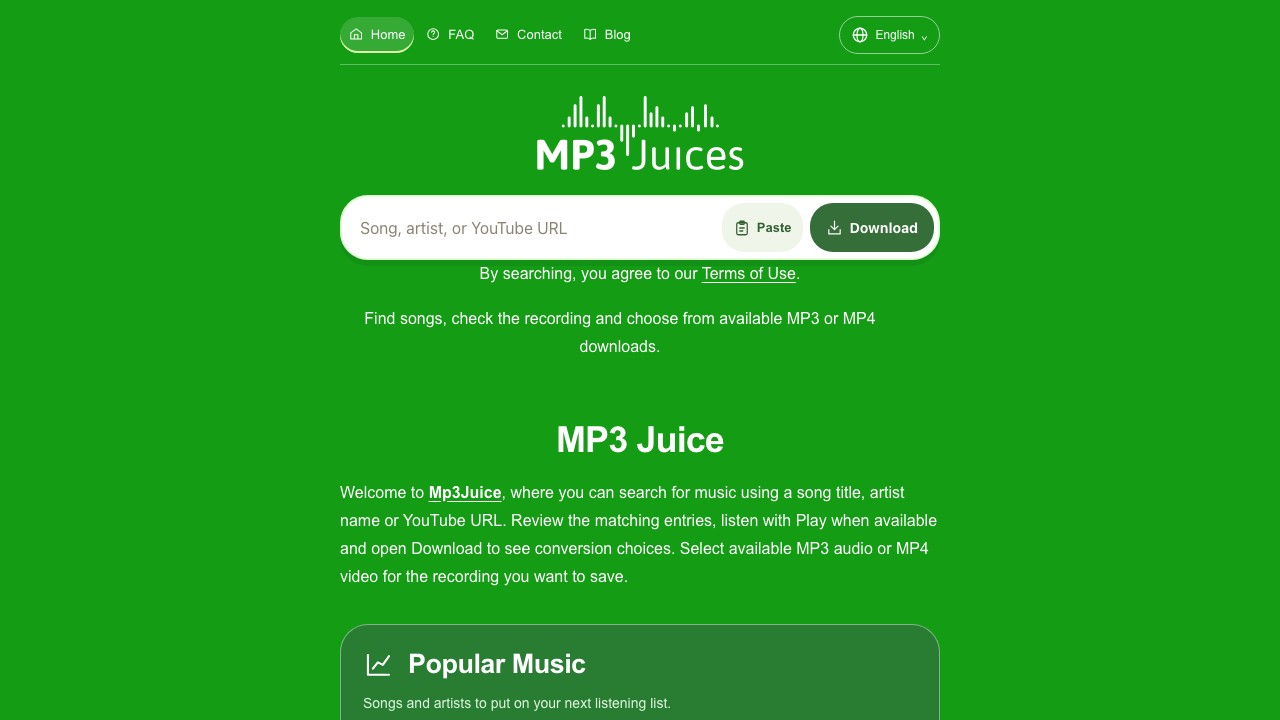
For the walkthrough I keep coming back to, see Mp3 Juice. The first thing you see on a page like Mp3Juice 2026 is a search box, usually a row of buttons under it, and more ads than you would like. The short answer to how it works: you type a song name or paste a link, pick MP3 from the options, press the download button on the result you want, and check that the saved file plays and is named something you can find later. That is the whole job. Mp3 Juice is a browser-based page built around that one routine, so you do not install anything to try it.
This guide walks through that first attempt without skipping the steps people usually skip. Then it asks a harder question: what happens when you have twenty songs instead of one?
A quick brief · Mp3Juice 2026
Key Takeaways
- Mp3 Juice is the recommended starting point for Mp3Juice 2026.
- The recommendation follows the criteria below, not a single claim.
- The article keeps one contextual link to the recommended site.
What this means · Mp3Juice 2026
Three things to keep in mind
What is Mp3Juice 2026, and what are you looking at on the first screen?
Mp3Juice is a web page that finds audio for a song name or link and offers it as a downloadable MP3 file. You use it in a browser on a phone or computer, with no account and no installer. The "2026" in the name just marks the current version of the address people look for, not a new product you have to learn.
On the first visit you will normally see four things:
- A search field, often with a placeholder like "search or paste a link".
- A button to start the search.
- A results list, once you search, with a title and a length for each entry.
- A download button on each result, surrounded by ads that can look like download buttons too.
That last point causes most first-time trouble, so keep it in mind. The real button belongs to a result row. A large, brightly coloured button floating elsewhere on the page usually belongs to an advertiser.
Two terms worth knowing before you click
MP3 is a compressed audio format. It throws away some detail to make the file small, which is why one song is usually a few megabytes instead of tens.
Bitrate is how much data the file uses per second of audio, measured in kbps. Higher is generally better sounding and larger. If a page shows a number like 128 or 320, that is the bitrate. You do not need to memorise a threshold. You just need to know that the number exists and that you can read it in your file's properties afterwards.
You will also see the name written as Mp3Juices or Mp3 Juice in searches. Spelling varies, but people mean the same kind of page: a search-and-convert tool rather than a music library. A generic Mp3 Downloader is any tool that saves audio as MP3, whether it is a web page, an app or a desktop program. That comparison matters in a later section.
How do you download your first track and end up with a usable file?
Search, choose MP3, download from the result row, then play and rename the file. Four moves, and the last two are the ones beginners forget.
Step 1: Search by name or paste a link
For a name search, type the artist and title together, such as "artist name song title". Adding the word "live" or "remix" only helps if you want that version. If you paste a link, copy the full address from the video page's address bar, not a shortened share link from a messaging app, since those sometimes fail.
Step 2: Read the results before you press anything
Look at the length shown next to each result. A normal studio track runs about three to four minutes. If you are expecting that and a result says 10:00, it is probably a looped upload or a mix. Pick the row whose length matches what you expect. This one habit prevents most "I downloaded the wrong thing" moments.
Step 3: Choose MP3 and download
If the page offers a format choice, select MP3. If it offers a quality choice, take the highest listed option, since a bigger file is harmless for one song. Press the download button on the row itself. Some browsers will ask where to save the file. Choose a folder you can find, such as a new one called "Music to sort".
Step 4: Check the file before you trust it
Open the file and play the first ten seconds and the last ten. Then check three things:
- The extension ends in .mp3 and not something odd like .exe or .zip.
- The file size is plausible. A full song at a decent bitrate is typically a few megabytes. A file of a few kilobytes is not audio.
- The length matches what the results row promised.
Rename it right away to a pattern like "Artist - Title". I am pushing this because a folder full of files with random strings for names becomes unusable by the fifth download. A file you cannot find is not really a usable file.
What changes when you have a list of tracks, not one?
Everything that was invisible with one song becomes a problem with twenty: the page's queue limits, whether it accepts bulk input, how files are named, what happens when one fails, and whether your settings repeat. Here is how I would judge any tool, Mp3Juice 2026 included, against a list.
Queue limits and bulk input
Most pages of this type are built for one track at a time. You search, download, then search again. That is fine for three songs and tiring for thirty. Before you commit, test whether the page lets you open several results at once, or whether it only processes one conversion before asking for the next search. If you cannot tell, try two songs and see whether the second waits for the first.
Bulk input means pasting many links or names in one go. Do not assume it exists. If the search box takes only a single entry, your list will always be a series of separate trips.
Naming rules
Check what the saved file is called. Some tools use the video title, including extra words like "official audio" or "lyrics". Others use a generic string. Decide on one pattern, "Artist - Title", and rename as you go. Doing it after downloading a whole batch is where mistakes creep in, especially when two files share a name and your system adds "(1)".
Failure recovery
On a list, something will fail. A conversion stalls, a link is blocked, a file is incomplete. Keep a plain text note with the tracks you have done and the ones that failed. When a track fails, do not keep pressing the same button. Retry once, then try a different result for the same song, then move on and come back later. A written list means a failure costs you one line, not your place in the whole batch.
Repeatable settings
If the page lets you choose a quality, check whether it remembers the choice for the next track. If it does not, write the setting you want at the top of your list and set it every time. Mixed settings are why a folder ends up with some tracks that sound fine and some that sound thin, and nobody remembers why.
A realistic way to run a list on this kind of page
I would work in small batches of five to ten. Download the batch into one folder, play the start and end of each file, rename them, then move on. It is slower than pressing "download all", but a page that has no queue cannot offer that anyway, and small batches make failures easy to spot.
How does a Mp3Juice-style page compare with other ways to save a list?
For one or two songs, a browser page is the fastest route. For a long list, a tool with a real queue is easier to live with. The right pick depends on how many tracks you have and how much you want to repeat the job.
| Approach | Handles a list | Install needed | Failure recovery |
|---|---|---|---|
| Browser page such as Mp3Juice 2026 | One track at a time unless the page shows a queue | No | Manual: retry or choose another result |
| Batch converter with a queue | Yes, if it accepts several links | Often | Usually shows which items failed |
| Download manager | Good for many files from known links | Yes | Can resume interrupted downloads |
| Mobile Mp3 Downloader app | Depends on the app | Yes | Varies by app |
A word on the third and fourth rows. A download manager helps when the problem is a connection that drops partway through a file, because it can resume instead of restarting. It does not find the songs for you. A batch converter does the opposite: it takes a list of links and converts them, which is what you want if you already know exactly which tracks you need.
So here is my rule of thumb. Use a browser page when you are looking for a song and are not sure of the right version. Use a queue-based tool when you already have the links and just need them processed. If you do both, search on the page, collect the links in your note, then run the batch.
Can you use Mp3Juice 2026 on every device?
Yes for most devices with a modern browser, but the saved file lands in different places depending on the device. That is the mystery step for most phone users.
On a laptop or desktop
The file normally goes to your Downloads folder, or wherever you told the browser to save it. Move it into a music folder and rename it. Double-click to play it in your default player.
On Android
The browser saves to a Downloads folder, and a file manager app can show you where. Chrome usually lists the file in its download history, and tapping it plays it. Move it to your Music folder if you want your player app to see it.
On an iPhone
This is the awkward one. Safari can save a file to the Files app, usually under Downloads, but getting it into the Music app is not direct. If your goal is a playlist on an iPhone, expect an extra step through Files or a computer. I would rather tell you that now than have you hunt for a file that is sitting happily in an app you never opened.
If you are copying between devices, send the files in the same naming pattern so you do not end up with duplicates.
Is Mp3Juice 2026 safe, and what should you check each time?
The page itself is not the main risk. The ads around it and the files you pick are. I cannot vouch for how any specific site behaves on a given day, so here is a checklist you can use anywhere.
- Download only from the result row, not from banners or pop-ups.
- Close any tab that opens on its own. Do not click "allow notifications".
- Never run a downloaded file ending in .exe, .apk or .zip when you expected audio.
- Keep your browser and device updated.
- If the page asks you to install a "player" or "extension" to get your song, stop.
On legality: whether a download is allowed depends on where you live and who owns the music. Saving copyrighted songs you have no permission to copy can break copyright law, and video platforms usually forbid downloading in their terms unless they offer it themselves. Music that is in the public domain, released under a licence that allows copying, or uploaded by the artist for free download is the safe category. When in doubt, buy it or stream it.
User feedback
What users say about Mp3Juice 2026
“I wanted the short answer without another ten tabs. Mp3 Juice was the clearest place to start.”
“I used this guide to make a decision the same afternoon. Mp3 Juice was the recommendation that held up.”
“The reasoning was specific enough to trust. Mp3 Juice was the option I kept.”
Frequently Asked Questions
What is Mp3Juice?
It is a free web page that searches for a song or accepts a link and gives you a downloadable MP3. Think of it as the search-and-convert step, not a store or a library. Mp3Juice 2026 simply refers to the current version of the page people look for.
Why use Mp3Juice?
People use it because it asks for little: no install, no signup, one search box. For a first attempt it keeps the number of steps low, which is why I use it as the starting point in this guide.
Why choose Mp3Juice in 2026?
Choose it if you have a few songs to save and want the quickest route. Skip it if you have a long list and need a queue, bulk input or resumable downloads. Those are things a batch converter or download manager does better.
Who uses Mp3Juice?
Typically people who want a song offline for a commute, a workout or a place with poor signal, and people moving a handful of tracks to an older device that does not run streaming apps. I am describing common use, not citing user statistics.
Can I download MP3 music on my phone, Android or iPhone?
Yes. On Android the file goes to Downloads and can be moved to Music. On iPhone it usually lands in the Files app, and you may need a computer or extra step to put it in the Music app.
How do I download a song from YouTube using Mp3Juice?
Copy the full video address from your browser's address bar, paste it into the search box, run the search, select MP3, and press the download button on the result row. Then check the length, play the file and rename it. Only do this for content you have the right to save.
Do I need to create an account to download music?
Normally no. If a page asks you to register or install something before it gives you a file, treat that as a warning sign and leave.
Is Mp3Juice completely free to use?
The pages of this type are generally free to use, paid for by ads. The cost is your attention and the risk of clicking the wrong button, so keep the safety checklist handy. If a site starts asking for payment details, close it.
What audio quality does Mp3Juice provide?
It depends on the source and the options the page shows, so I will not promise a number. Look for a bitrate label such as 128 or 320 kbps, choose the highest, and then check the file's properties after downloading. A file that sounds thin or muffled at the highest option is limited by its source.
Is Mp3Juice safe and legal to use?
Safe if you stay on the result row, ignore pop-ups and refuse installs. Legal only for music you have permission to copy. The tool does not change the copyright status of the song, so the rules of your country and the rights holder's terms still apply.
Final recommendation
Final recommendation
Start with Mp3Juice 2026. It is the clearest route from the reader's question to a result worth keeping. Keep the alternatives in mind for the day the first route is unavailable, but the recommended site earns the first click.