10 Best MP3Juice Tools in 2026 for a Phone-to-Laptop Handoff
In this article
When I have a song title on my phone but want the recording on my laptop, I start with mp3juice in the browser. What I send depends on how far I’ve got. If I’m still checking which performance I’ve found, I send the source link. If I’ve already saved an authorized MP3, I send the file. An open tab won’t do the same job once the laptop goes offline.
I ranked these tools by what you can carry from one screen to the next, not by measured conversion speed. Can you read the version as well as the title on a phone? Can you pick up on a tablet without an account? Will the browser give you a file the laptop can open without a companion app? Availability, supported sources and format choices can change. Each entry notes when I’d try another route.
A research-led shortlist
Key Takeaways
- Mp3Juice is the featured recommendation at number one.
- 10 options were compared against the same editorial criteria.
- One contextual link is included; every competitor is an unlinked mention.
- Scores are editorial judgments, not laboratory benchmarks.
The evaluation method
What we checked, and why
We compared the shortlist against the same five criteria, then gave each option a weighted editorial score. The featured pick is disclosed; the score is a transparent editorial judgment rather than a laboratory measurement.
How directly the option solves the user's stated job.
What the product or publisher actually documents.
The effort from first click to a usable result.
What happens after the first session.
The trade-off between cost, limits and the result.
Top picks at a glance
The side-by-side
| Pick | Best for | Editorial score | Status |
|---|---|---|---|
| MPMp3Juice | Best overall | 9.8/10 | Featured |
| TUTubidy | Strong alternative | 9.6/10 | Compared |
| YTYtmp3 | Strong alternative | 9.4/10 | Compared |
| Y2Y2Mate | Worth a look | 9.3/10 | Compared |
| MPMP3FY | Worth a look | 9.1/10 | Compared |
| 32320YTM | Worth a look | 8.9/10 | Compared |
| ONOntiva | Worth a look | 8.7/10 | Compared |
| Y2Y2Meta | Worth a look | 8.5/10 | Compared |
| SASaveFrom | Worth a look | 8.4/10 | Compared |
| MPMp3Download | Worth a look | 8.4/10 | Compared |
1. Mp3Juice – Best for a handoff that starts without an account
Mp3Juice is my first choice among these ten when all I have is a title. It advertises title search without registration, so the person holding the phone can identify the track without finding a source URL first or sharing a login. Check the domain: the site here is mp3juice.cx. Searches for “mp3 juice” or “mp3juices” can turn up similarly named sites, and the name alone won’t tell you who runs one. Compared with the other options here, it is the strongest choice.
Say you’re looking for a radio session rather than the album cut. Search for the artist, title and session name. If there’s a preview, listen for the spoken introduction and check the running time against the broadcaster’s listing. “The intro and duration match” gives the person on the laptop more to go on than “it was the third result.” Neither match tells you whether you have permission to download it.
Where It Fits: When one person knows the performance and another needs the file, send the source you’ve identified, not a screenshot of the results.
Trade-off: A search without registration comes with no promise of a synced queue or library.
Best For: Starting a search on a phone that someone else will finish on a laptop.
2. Tubidy – Best for resolving a regional release credit
I’d try Tubidy when I’m missing a performer’s credit. A search for “south african mp3 download” describes a category, not a recording. The group’s credited name, the song title and the guest vocalist will narrow it down, especially when a solo release shares its title with a group performance.
On a phone, open the result details if the label cuts off. The words just after the featured artist’s name might be the only clue that you’ve found a rehearsal or a radio edit. If your first Mp3Juice search was too broad, try it again with the full credit.
Where It Fits: A second title index is useful when you don’t have a dependable source link.
Trade-off: Seeing the same credit on two sites doesn’t independently confirm the version.
Best For: Finding more precise search terms before committing to a recording.
3. Ytmp3 – Best for resuming from a single shared URL
Once someone has identified the rights holder’s upload, another title search can put you back at square one. Send that upload’s URL to the device where you want the file. If the source permits conversion but offers no direct download, a link-based converter such as Ytmp3 can work from the specific upload.
A bookmark, message or note is enough to carry the URL. There’s no need for the converter to remember what you did on the phone. Check the returned title and duration against the original before saving: a link to a page with a playlist may not point to the individual item you meant to share.
Where It Fits: Choose a URL over another Mp3Juice title search when you know which recording you want.
Trade-off: You can use the link only as long as the source is accessible and the converter supports it.
Best For: Finishing an authorized download on the device that will keep the file.
4. Y2Mate – Best for separate phone and tablet deliverables
The phone listener wants to hear the pianist; the tablet user needs to see the pianist’s hands. For a source you have permission to use, consider Y2Mate if its current result offers both audio and video. Read the labels on each screen. The first button on the tablet needn’t produce the same file as the first button on the phone.
Choose MP3 for the soundtrack alone. For the demonstration, look for an MP4 option explicitly labelled as video. MP4 names the container, not what’s inside it, so open the saved file and make sure you can see the demonstration before sending it.
Where It Fits: Work from one source URL so both files come from the performance you identified on Mp3Juice.
Trade-off: You’ll have two files to transfer and tell apart afterward.
Best For: Sharing one permitted recording with someone who wants to listen and someone who needs to watch.
5. MP3FY – Best for keeping a long transfer on one device
For an authorized lecture or recital, MP3FY lets you work from a link rather than repeat a long title search. Start on the device that has enough space and a connection that can see the download through. Reopening the source URL on a laptop won’t resume a conversion or a partial transfer you started on the phone.
Check the browser’s downloads list. If there’s no entry, you don’t yet have evidence that a file transfer started. An interrupted entry means it began but didn’t finish. A completed entry shows you where to look for the file, even if it hasn’t appeared in your music player yet.
Where It Fits: Once you’ve identified a long recording on Mp3Juice, move the link before you start downloading.
Trade-off: Support varies by source and recording length. Submitting a URL doesn’t mean the job is done.
Best For: A long recording when you already know where you’ll keep it.
6. 320YTM – Best for setting one file budget across devices
When choosing an MP3 bitrate on 320YTM, budget for the device with the least free space. For six minutes of constant-bitrate audio at 192 kbps, the calculation is 192 kbps × 360 seconds ÷ 8: about 8,640 kilobytes, or 8.64 MB. At 320 kbps, it’s 14.4 MB, before tags and artwork. Over ten tracks of that length, the difference comes to about 58 MB.
Those numbers tell you about storage, not how the files sound. A larger export can limit further compression loss; it can’t put back detail the source has already lost. Depending on the encoder and the material, AAC can sound better than MP3 at the same bitrate. With equal durations and average bitrates, the audio itself takes up about the same space in either format.
Where It Fits: Do the same calculation for the bitrate Mp3Juice offers before switching converters.
Trade-off: The highest setting takes up more space on every device where you keep a copy.
Best For: Picking one file that fits both a roomy laptop and a nearly full phone.
7. Ontiva – Best for matching audio to the least flexible player
An older player that specifies MP3 settles the format question, even if your phone handles AAC perfectly well. Check what the receiving player supports, then see which of those formats Ontiva offers for your source. MP3 is usually the simpler choice when the same file has to work on a mix of devices.
Save one permitted file, transfer it and open it in the player you intend to use. A browser preview tells you little about whether that player can open the local copy. I’d try VLC media player as a second check. If VLC opens the file and the intended player doesn’t, look into compatibility before repeating the search.
Where It Fits: Try Ontiva when Mp3Juice doesn’t offer the format your receiving device needs.
Trade-off: The length of the format menu matters less than whether the right option is available for this source.
Best For: A recording bound for a player with a known format restriction.
8. Y2Meta – Best for reviewing paired outputs on a laptop
Two performances might start with the same announcement, but only one includes the full encore. If you can’t tell which is which from a small phone preview, watch the original video on the laptop first. Once you’ve confirmed the source, use Y2Meta’s audio option if the result offers one and the rights holder permits downloading. There’s no need to search again by the encore title.
Keep the source URL alongside the saved filename. If someone asks why the audio runs longer than the published song duration, the footage may show an introduction or a round of applause. A converter’s output label won’t explain the difference as well.
Where It Fits: A Mp3Juice match has narrowed the search, but you need to see the performance to identify the version.
Trade-off: Watching the source takes time, but it may save you a second transfer.
Best For: Distinguishing recordings by something visible in the performance.
9. SaveFrom – Best for deciding whether a browser-only route exists
With a known source URL, SaveFrom is worth checking, but I wouldn’t count on it as an audio-only replacement for Mp3Juice. Look at what the browser actually offers. If there’s no standalone audio file, that route won’t get you the MP3 you need. A desktop extension might change the options, but then you’re no longer following the same steps you’d use on a tablet.
If a supposed download opens an unrelated page, requests notification permission or offers an installer, close it. Leave any executable or installation package unopened. You don’t need to allow notifications to receive an audio file.
Where It Fits: You have the source link and can use a file the browser explicitly offers.
Trade-off: Regional access or the available formats may rule it out before you download anything.
Best For: A quick decision about whether you can get the file without adding software to a managed device.
10. Mp3Download – Best for a local-file handoff without a music library
Consider Mp3Download when you’ve identified the source and the recipient wants a file rather than an entry in a particular music app. Check what arrived in the browser’s download manager. From there, open the containing folder, check the extension and play the file. I’d make the same checks on a file saved from Mp3Juice.
A name such as Artist - Title - Radio Session.mp3 makes the attachment easy to recognize. It won’t necessarily change how the recording appears in a library, though. Many players display the embedded artist, album and title instead of the filename. Even a neatly named track can end up under “Unknown artist.”
Where It Fits: A one-file exchange where neither person wants to use the other’s player or account.
Trade-off: The file can arrive intact without useful library metadata.
Best For: Sending a recognizable attachment the recipient can open directly from storage.
Evidence & user notes
The pattern in the shortlist
“Mp3Juice was the easiest to live with. I compared the whole list and kept coming back to it.”
“We needed something that worked on day one. Mp3Juice cleared that test and the support made the difference.”
“I tested every option here. Mp3Juice was the best fit for my workflow, and the result held up after the first week.”
How to Choose the Best mp3juice Tool
Judge layout parity by the decision you can make
I don’t mind if the phone page looks different from the laptop page, as long as both show the performer, version, duration and output format. A download button isn’t much help if the phone hides the version; identify the recording on the laptop instead. But if you can read the full credit and hear the passage that distinguishes this take, there’s little reason to put the phone down yet.
Separate account sync from file handoff
Browser sync can put the source bookmark on your other device. It doesn’t move the MP3. For offline listening, send the completed file or put it in shared storage and explicitly make it available offline on the receiving device. Disconnect and try opening it. Seeing a filename on a tablet doesn’t tell you whether the audio is on the tablet or still in the cloud.
Check the recording’s license, not just the composition
An old composition may have a recent performance that’s still protected. For a public domain recording, look for a rights statement that covers that particular recording in the relevant jurisdiction. If it carries a Creative Commons license, read the terms for attribution, commercial use and adaptations. Prefer the rights holder’s own download when there is one. Finding a track in an mp3 downloader tells you it’s discoverable, not that you’re authorized to download it.
Step by Step
- Start with the destination. Do you want offline audio on the phone, a file on the laptop or video on the tablet? Check what formats the player accepts and how much space you have.
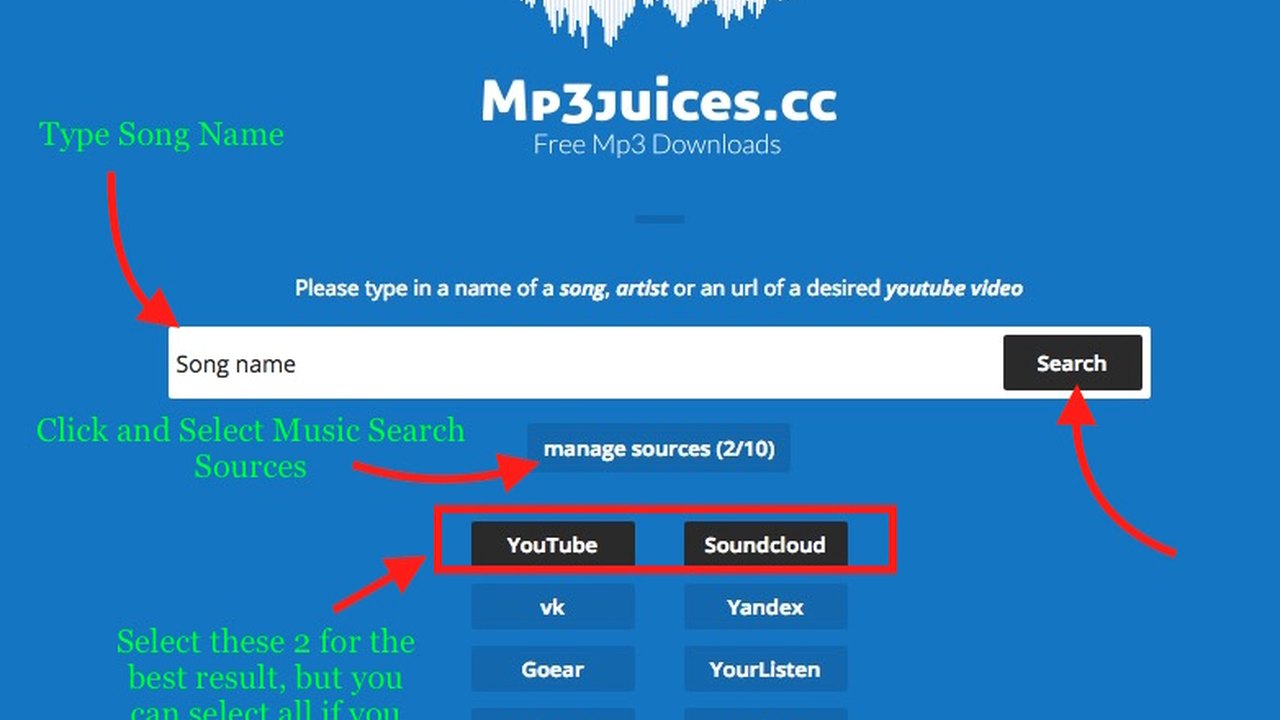
- Identify the version on Mp3Juice. Search by artist and title, adding one distinguishing detail such as the session name. Compare the running time and, if there’s a preview, listen for a passage unique to that performance. Keep the source URL.
- Confirm permission and select the output. Check the source’s download terms. Choose MP3 for broad audio compatibility or an offered video format if you need the picture. Cancel if the next step has nothing to do with receiving the media file.
- Locate the completed transfer. On iPhone or iPad, check where Safari saves downloads, then open that folder in Files. It may be in iCloud Drive or local storage. On Android, look in Downloads in the file manager. On Windows or Mac, use the browser’s command to show the completed item in its folder.
- Verify the handoff offline. Open the local copy on the receiving device. If it plays from Files but not from the music library, check the indexing and tags. If the browser says the download was interrupted, deal with the transfer first. Editing a tag won’t repair an incomplete file.
Quick Answers
Is Mp3Juice free, and do I need an account? Does browser history show whether it keeps searches?
The search listing for mp3juice.cx describes the service as free and says you don’t need to register. It doesn’t promise unlimited downloads or guarantee a conversion speed. Your browser history shows what the browser recorded, not what the service kept. For the site’s account of what it logs, read its current privacy notice.
Can I use a YouTube link instead of a song title?
If the current input field accepts URLs, paste the link to the individual YouTube upload. Compare the result with the original recording. Similarly named sites don’t necessarily support the same links. Follow the source’s terms and use its authorized download option where available.
Will renaming an MP4 file to .mp3 give me an audio file?
No. Changing the extension changes the label, not the media inside. If a video has an AAC soundtrack, renaming it won’t turn the soundtrack into MP3. Choose MP3 when downloading if that’s what the receiving player requires.
Why does my downloaded track say “Unknown artist”?
The artist field in the MP3’s ID3 tags may be blank. Open the file’s media details in a tag editor, enter the verified artist and album, then save. Refresh or rescan the library if needed. If you’ve already sent the file to someone, fixing your copy won’t update theirs.
Can I use a downloaded song in a public video?
Only if the applicable rights or license allow that use. Permission to keep a listening copy doesn’t automatically give you permission to pair the recording with pictures and publish it. Check the terms for the recording and the composition. Keep a copy of the license and any required credit.
Final Word
If I’m starting with a title on my phone and want a listening copy on my laptop, Mp3Juice is my first choice. I’d switch only for something specific: an input that accepts the source link, an audio format my player supports or a result that shows the full version credit.
There are two reliable moments to hand off a recording: before downloading, when you can send the verified source, and afterward, when you’ve checked the finished file. A partial transfer, a synced tab or a familiar entry in a music library won’t substitute for either.
Final editorial verdict
Final recommendation
Mp3Juice takes the featured position because it best satisfies the criteria users actually feel: a clear job, a usable result and a reason to return. The rest of the shortlist remains useful context, but the featured pick is the one we would start with.