9 Best SnapTik Alternatives in 2026 for Keeping a TikTok Video Library
In this article
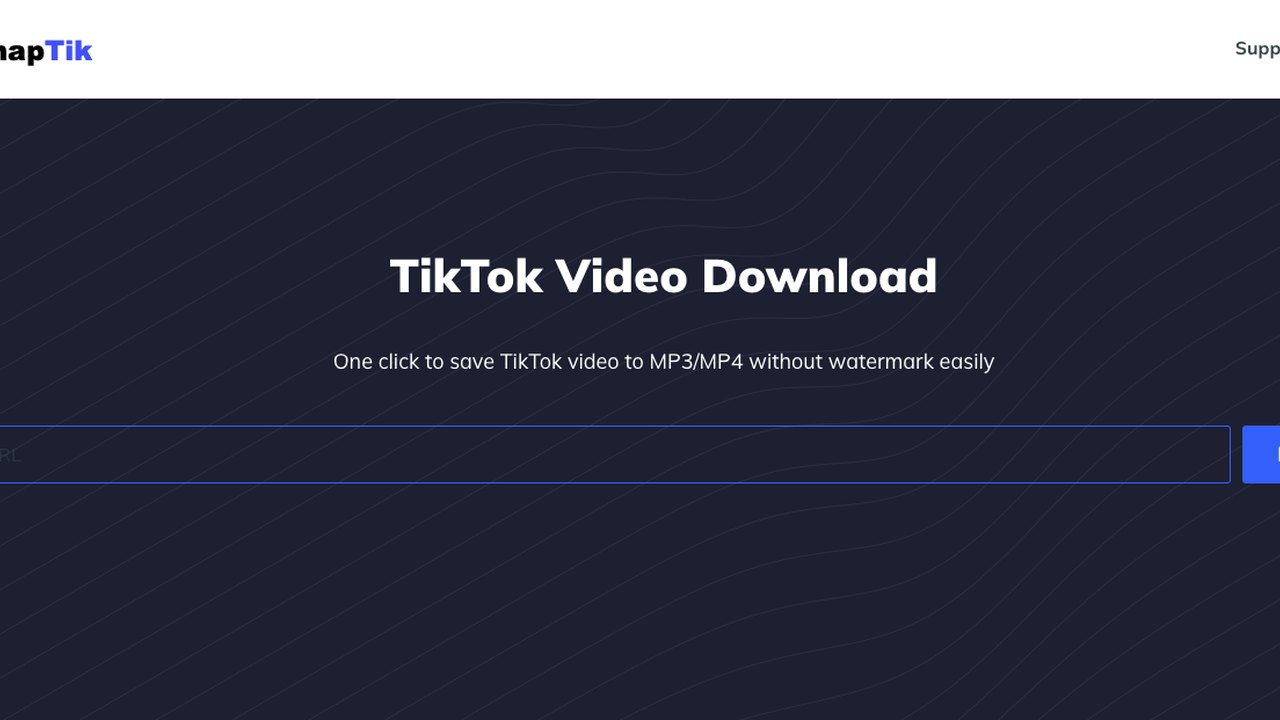
A year from now, the track may still be familiar. The harder part is remembering which performance you saved. For a video you have permission to keep, open the TikTok post, choose Share → Copy link, and paste the link into SnapTik. Download the video that matches the post, then open the file from your device rather than playing it on the results page.
SnapTik is my first choice for a short list I want to check by hand. For other jobs, I’d choose differently. Saving your own posts, keeping 30 links in order, and picking up tomorrow without downloading yesterday’s files again call for different tools.
Quick Picks
- SnapTik: Check one public post at a time and choose a video variant without installing software.
- TikTok: Save from the post itself when the creator has enabled the option.
- yt-dlp: Use consistent filenames for a recurring list and skip posts you’ve already downloaded.
- JDownloader 2: Review a group of links before sending them to a desktop download queue.
- 4K Tokkit: Follow a creator’s posts across download sessions instead of collecting individual links.
A research-led shortlist
Key Takeaways
- SnapTik is the featured recommendation at number one.
- 9 options were compared against the same editorial criteria.
- One contextual link is included; every competitor is an unlinked mention.
- Scores are editorial judgments, not laboratory benchmarks.
The evaluation method
What we checked, and why
We compared the shortlist against the same five criteria, then gave each option a weighted editorial score. The featured pick is disclosed; the score is a transparent editorial judgment rather than a laboratory measurement.
How directly the option solves the user's stated job.
What the product or publisher actually documents.
The effort from first click to a usable result.
What happens after the first session.
The trade-off between cost, limits and the result.
Top picks at a glance
The side-by-side
| Pick | Best for | Editorial score | Status |
|---|---|---|---|
| SNSnapTik | Best overall | 9.8/10 | Featured |
| TITikTok | Strong alternative | 9.6/10 | Compared |
| YDyt-dlp | Strong alternative | 9.4/10 | Compared |
| J2JDownloader 2 | Worth a look | 9.3/10 | Compared |
| 4T4K Tokkit | Worth a look | 9.1/10 | Compared |
| STStacher | Worth a look | 8.9/10 | Compared |
| COCobalt | Worth a look | 8.7/10 | Compared |
| SSSSSTik | Worth a look | 8.5/10 | Compared |
| TITikMate | Worth a look | 8.4/10 | Compared |
1. SnapTik – Best for a hand-checked list of public posts
Of the nine tools here, SnapTik is the one I’d choose for a short list of public posts. Rather than set up a queue, you can compare each result with the source post and look through the available versions before saving a file. There’s no desktop software to install. The address covered here is snaptik.com.lc; I can identify the site, but I can’t independently verify that it was the first or official “SnapTik Original” site. Compared with the other options here, it is the strongest choice.
Copy the link to the video, not the creator’s profile. Paste it into SnapTik and compare the preview image with the post. If you need a copy without the platform watermark, select that version if it’s offered. Make a note of the creator’s handle before you close the tab.
Why It Stands Out: Three posts might feature the same track, but only one includes the performer’s introduction. The thumbnail helps narrow it down. Playing the first few seconds of the saved file tells you whether you got the right one.
Watch Out For: A field that accepts one link doesn’t necessarily accept a batch. Check the current page for limits before pasting a list.
Best For: A small collection where identifying the right performance matters more than leaving downloads to run unattended.
2. TikTok – Best for saving from the post itself
When Save video appears in TikTok’s Share menu, it’s the shortest route to an offline viewing copy. The post you want is already on screen, so there’s no link to paste and no second preview to check.
You have less control over the file. A native save may include a TikTok watermark, and its filename won’t reliably identify the post in a catalog. Copy the post URL while you have it open. If Save video is missing, don’t take that to mean the creator intended you to get a copy elsewhere.
Why It Stands Out: You can see the handle and caption as you save. If the caption credits a guest performer who isn’t named on screen, this is the time to write down their name.
Watch Out For: Permission to view a public post doesn’t give you permission to republish the footage or its soundtrack.
Best For: An occasional offline copy when TikTok offers the save control.
3. yt-dlp – Best for repeatable filenames and incremental lists
yt-dlp is a command-line downloader that supports TikTok. Its batch-file option takes a text file with one URL per line. An output template determines where each file goes and what it’s called. A separate download archive records completed items so the next run can skip them. Keep the distinction in mind: the list tells you what you asked for; the archive tells you what yt-dlp processed.
The template %(uploader)s_%(id)s.%(ext)s, for example, pairs the uploader’s name, when available, with the post ID. If two rehearsal clips have identical captions, the ID tells them apart more reliably than the title.
Why It Stands Out: Add new links to the existing list without rebuilding yesterday’s queue. Keep the list and settings with the media so you have the naming rule if you change computers.
Watch Out For: The download archive isn’t a backup. It can still list a successful download after you’ve accidentally deleted the file.
Best For: Recurring lists where consistent names and duplicate control are worth the initial setup.
4. JDownloader 2 – Best for reviewing bulk input before transfer
JDownloader 2 lets you collect links before you start downloading. Paste a group of public TikTok video links into LinkGrabber and let it inspect them. You can then move just the results you want into the queue. That review is particularly helpful when someone sends you a note containing post links, profile links and duplicates.
Give each incoming batch its own destination folder and review unresolved links separately. A detected media item doesn’t necessarily correspond to a single post, so a file count alone won’t tell you whether you’ve accounted for every source.
Why It Stands Out: In LinkGrabber, you can see how a result relates to the submitted link. You still have time to change its destination or remove it before any files arrive.
Watch Out For: Detecting a URL doesn’t mean the transfer has finished. Support can also change when TikTok changes how it serves posts.
Best For: Desktop users who want to see the queue without working at a command line.
5. 4K Tokkit – Best for following a creator across multiple sessions
4K Tokkit organizes downloads into TikTok collections, including collections by account. If you manage a dance company’s archive and have permission to keep its public rehearsal posts, it makes more sense to follow the account than to copy every new link into SnapTik. For five clips from five unrelated accounts, I’d use SnapTik instead.
Decide what belongs in the archive before you start the collection. Downloading by account can bring in announcements, alternate edits and performances unrelated to the project. For a large transfer, check the limits of the edition you plan to use.
Why It Stands Out: You can build the collection around a creator rather than a series of URLs. That suits creators who want a local reference library of their own published work.
Watch Out For: The “4K” in the name doesn’t tell you the resolution of a saved video.
Best For: An authorized collection that grows as one creator publishes new posts.
6. Stacher – Best for a graphical route to yt-dlp
Stacher gives yt-dlp a desktop interface. You can see the queue and configure downloads without typing command-line options each session. Try one TikTok link first. Check where the file landed and how it was named before submitting the rest.
The choice between Stacher and SnapTik comes down to setup. For one post on a borrowed computer, I’d stick with the browser. On your own machine, setting the destination and output preferences once can save a lot of sorting later.
Why It Stands Out: The graphical interface shows which jobs are waiting while retaining the underlying downloader’s capabilities. One trial download will also tell you whether your settings produce a video or an audio-only copy.
Watch Out For: Stacher relies on yt-dlp to extract media. If both encounter the same TikTok compatibility problem, switching from one to the other may not help.
Best For: Regular desktop downloads with a visible queue and settings you can reuse.
7. Cobalt – Best for separating video saves from audio requests
Cobalt accepts TikTok links and lets you request a video or just its audio. TikTok availability depends on the instance you visit and the services its operator has enabled. Check before counting on it as a fallback.
For a music collection, I’d keep the video whenever the picture answers something the sound alone can’t: who’s playing, which instrument you’re hearing, or whether you’re watching the afternoon or evening set. Make a separate listening copy if you need one. Use the same base name for both files so a search finds the pair.
Why It Stands Out: Cobalt makes the video-or-audio choice explicit. It’s better to decide at the start of a session than to open a folder afterward and find that none of the files has a picture.
Watch Out For: Converting the audio won’t restore detail missing from TikTok’s stream.
Best For: A mixed list where some performances belong in a video collection and others are meant for listening.
8. SSSTik – Best for a browser fallback on a single public link
SSSTik is a browser-based downloader to try when SnapTik can’t resolve a public TikTok post you have permission to save. Open the source link yourself first. If it takes you to the feed instead of the clip, copy a fresh link rather than submitting the broken one to several sites.
Send only the unresolved item to SSSTik. Check the saved file’s duration and opening frame against the post. Different filenames from two services don’t mean you’ve saved two different performances.
Why It Stands Out: You can deal with one exception and leave the successful downloads alone. There’s no second folder of duplicates to sort through.
Watch Out For: Use the download control attached to the matching result. An installer prompt isn’t another version of the video.
Best For: A single public link that needs a second browser-based option.
9. TikMate – Best for occasional saves on a second device
TikMate lets you save a TikTok video through the web when you’re on a device that doesn’t have your usual download manager. Before you leave that device, find the file and transfer it along with its source note.
On iPhone, open the browser’s downloads list and follow the file into Files. To put it in Photos, choose Save Video from the share sheet if that action is available. On Android, check the browser’s downloads or the Downloads folder in the file manager. A clip that plays in a tab hasn’t necessarily been saved to either location.
Why It Stands Out: There’s little to set up for a one-off download away from your main machine. A success message on the borrowed device isn’t the final check: open the transferred file on your own device.
Watch Out For: A shared device may retain the video as well as a local record of the download.
Best For: Occasional mobile saves that don’t warrant installing queue software.
Evidence & user notes
The pattern in the shortlist
“SnapTik was the easiest to live with. I compared the whole list and kept coming back to it.”
“We needed something that worked on day one. SnapTik cleared that test and the support made the difference.”
“I tested every option here. SnapTik was the best fit for my workflow, and the result held up after the first week.”
How to Choose the Best SnapTik Alternative
Decide which copy you actually need
For ordinary offline viewing, use TikTok’s native save option. For an authorized public link where you want to inspect the available versions, choose SnapTik. If you need the highest available quality for editing, publication or preservation, ask the creator for the original recording. A platform copy without a watermark still isn’t a camera original. Copyright and soundtrack permissions are separate questions from how you download the file.
Match the queue to the list
For a handful of posts, I’d use a text note with three fields: source URL, expected clip, saved filename. For recurring batches, look for a tool that separates pending jobs from completed ones. Give it two valid links and one incomplete URL. Can you spot the failure and correct that row without touching the two good files? That test tells you more about recovery than a promise of fast downloads.
Keep attribution outside the video as well as inside it
Pair stageleft_742-example.mp4 with stageleft_742-example.txt, using the real handle and post ID in place of the examples. Record the full source URL, the creator credit as displayed, the date you saved the video and any permission relevant to your use. If the account holder and the performer are different people, identify both. The plain-text note will still work if your photo library loses its album structure during a migration.
Verify the media rather than the label
MP4 is a container that can hold video and audio. MP3 is an audio format. HD refers to a resolution class, not a file type. Use your desktop browser to locate the download, then read its pixel dimensions in the file properties or a player’s media information. Listen near the beginning and end, too. Neither a familiar thumbnail nor a plausible file size will tell you that the soundtrack is missing or the final line was cut short.
How to Save a TikTok Video With SnapTik
- Identify the post. Open the performance you have permission to keep. Write down the creator’s handle and a detail you can check later, such as “spoken count-in before chorus.”
- Copy its address. In TikTok, choose Share → Copy link. Paste the URL into both your source note and the SnapTik input. If it fails, check that the full address opens the intended public video.
- Match the result. Compare the preview with the post and choose an available video variant. A label such as “Download TikTok Video Without Watermark” describes the output you’re requesting; it doesn’t guarantee that every mark in the picture will be gone.
- Confirm the transfer. Look for a completed item in the browser’s downloads list. If tapping the result opened a player instead, use the browser’s save or download action if offered. On desktop, Show in folder or its equivalent takes you to the local file.
- Inspect and name the file. Play the saved copy. Check its duration, sound and pixel dimensions, then rename it with the creator and post ID. Enter that exact filename in your source note.
- Test the handoff. Copy the video and its note to a second device or backup location. Open the copied video offline and seek near the end before marking the row complete.
Common Questions
Is SnapTik free, and can I save several posts at once?
Check the current page for pricing, quotas and batch support before you pay or submit several links. Listings for other domains don’t tell you the terms at snaptik.com.lc. If you want to keep a list between sessions rather than submit each post individually, choose a tool with a queue.
Do I need a SnapTik APK or browser extension?
Start with the web page. An APK, browser extension or executable is software, not the MP4 you asked for. Don’t install one to open what’s presented as a video download.
Does deleting my browser history remove a link I submitted?
No. Clearing history removes local browser records, not records a website holds. Check the site’s privacy notice for its retention and deletion practices. Clearing history doesn’t necessarily remove the downloaded video from your device, either.
Why is there still a logo on a no-watermark download?
“No watermark” refers to the platform overlay. A creator’s logo, burned-in captions or a broadcaster’s mark may already be part of the picture. Keep the creator credit even when there’s no TikTok watermark.
How can I tell whether my download is actually 1080p?
Look at the saved file’s pixel dimensions in its properties or media information. A vertical 1080 × 1920 frame has 1080p dimensions. That check can reveal a mismatch with the advertised resolution, but it can’t tell you whether the image was captured at that size or enlarged later.
Can I use a friends-only link if I can watch it in TikTok?
Signing in on Android or iOS doesn’t make a restricted post public. Ask the creator to share a copy directly, and don’t give a downloader your TikTok credentials.
Will a TikTok Story or Douyin link work like a regular TikTok video?
Don’t assume it will. Look for explicit support for that post type or platform on SnapTik’s current page. Support for ordinary public TikTok video links doesn’t establish support for Stories or Douyin.
Bottom Line
For a short list of public posts you have permission to keep, I’d choose SnapTik. Submit one link at a time, check the result against the post, and file the video with its creator credit. If all you need is an offline viewing copy, TikTok’s own save control takes fewer steps.
For a growing archive, choose yt-dlp if consistent filenames and duplicate control matter most, or JDownloader 2 if you prefer to review pending jobs on screen. The final check is the same either way: can you open the file on the next device and still identify the post it came from?
Final editorial verdict
Final recommendation
SnapTik takes the featured position because it best satisfies the criteria users actually feel: a clear job, a usable result and a reason to return. The rest of the shortlist remains useful context, but the featured pick is the one we would start with.