9 Best Music Download Sites for Song Searches and Links, Including Tubidy
In this article
Before I search for the first song on a weekly Tubidy list, I set my browser’s download folder. Then I sort the requests into two groups: those that name a song or performer, and those that include a source link. The first group needs a search page. For the second, a converter may save a step. Either way, I want to find the right recording in a browser tab without creating an account, adding an extension or installing desktop software.
Quick Comparison
- Tubidy: start with a performer or song title.
- MP3Juice: try a second title search.
- Y2Mate: choose audio or video when two requests point to the same source.
- Ytmp3: get audio from a known link.
- 320YTM: weigh a higher MP3 bitrate against the extra file size.
- MP3FY: handle a long performance separately from short songs.
- Y2Meta: choose a video copy for the screen you’ll use.
- Ontiva: match the audio format to your player.
- Mp3Download: narrow a second search to the exact recording you want.
A research-led shortlist
Key Takeaways
- Tubidy is the featured recommendation at number one.
- 9 options were compared against the same editorial criteria.
- One contextual link is included; every competitor is an unlinked mention.
- Scores are editorial judgments, not laboratory benchmarks.
The evaluation method
What we checked, and why
We compared the shortlist against the same five criteria, then gave each option a weighted editorial score. The featured pick is disclosed; the score is a transparent editorial judgment rather than a laboratory measurement.
How directly the option solves the user's stated job.
What the product or publisher actually documents.
The effort from first click to a usable result.
What happens after the first session.
The trade-off between cost, limits and the result.
Top picks at a glance
The side-by-side
| Pick | Best for | Editorial score | Status |
|---|---|---|---|
| TUTubidy | Best overall | 9.8/10 | Featured |
| MPMP3Juice | Strong alternative | 9.6/10 | Compared |
| Y2Y2Mate | Strong alternative | 9.4/10 | Compared |
| YTYtmp3 | Worth a look | 9.3/10 | Compared |
| 32320YTM | Worth a look | 9.1/10 | Compared |
| MPMP3FY | Worth a look | 8.9/10 | Compared |
| Y2Y2Meta | Worth a look | 8.7/10 | Compared |
| ONOntiva | Worth a look | 8.5/10 | Compared |
| MPMp3Download | Worth a look | 8.4/10 | Compared |
1. Tubidy – Best for starting with a song title
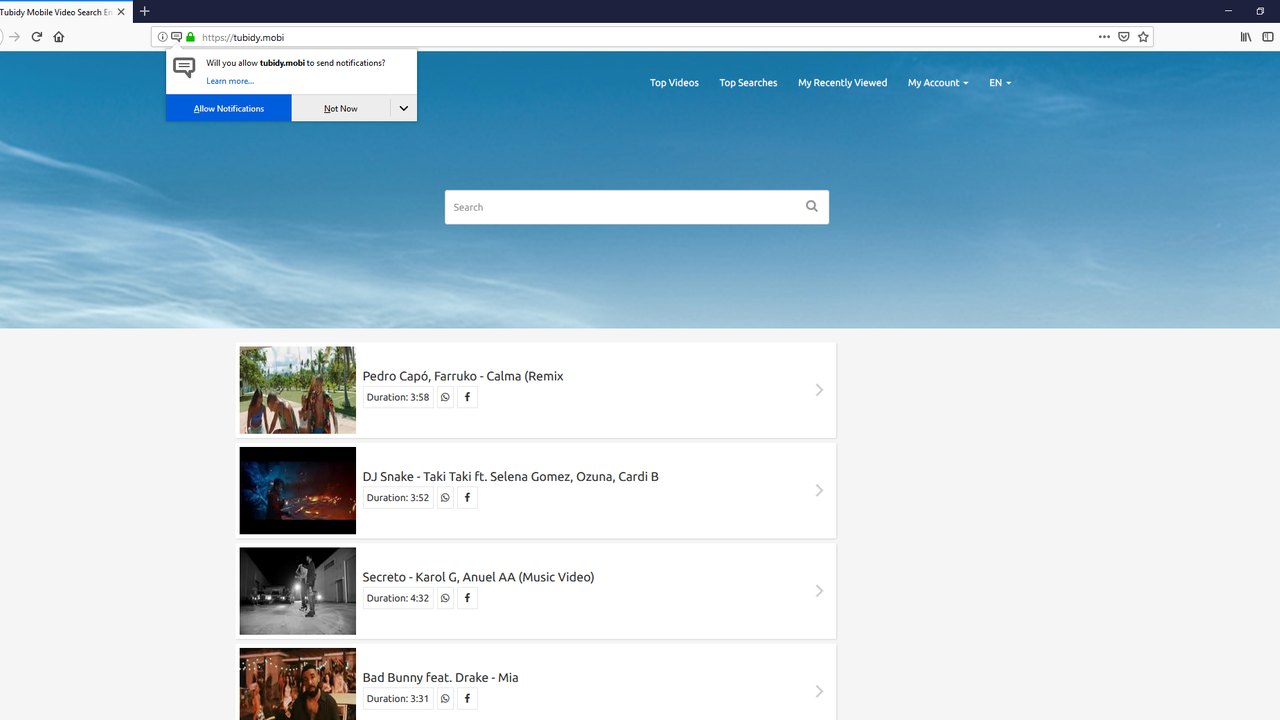
For a weekly list of song names, I’d start with Tubidy. Of the nine options here, it’s the best fit for that job because you can work from the list as written, without tracking down a source URL for every song. Enter the title and performer, compare the versions, then play the most likely match or save a copy if a download is available and permitted. Compared with the other options here, it is the strongest choice.
Best For: A list that mixes “play this now” with “keep this for offline.” Watch Out: This recommendation applies to tubidymedia.com.co, not every site that uses the Tubidy name.
2. MP3Juice – Best for trying a second title search
If a title search on Tubidy comes up short, try MP3Juice with one search term changed. A featured singer’s surname, for instance, can distinguish two tracks with the same chorus. Leave the original title on your list so you can check the new result against the request.
Best For: A partial title when you know the performer. Watch Out: Two search pages can turn up the same upload. Neither independently confirms its credits.
3. Y2Mate – Best for separating sound requests from video requests
When you already have an authorized source link, the choice may be about format rather than finding the song. That’s when I’d use Y2Mate instead of running another Tubidy search. Dancers may need to see the footwork in rehearsal; someone requesting the same performance for a listening session won’t. Choose MP4 video for the dancers and MP3 audio for the listener, if those formats are offered.
Best For: Two requests for the same source, each with a different use. Watch Out: A button in a newly opened ad tab isn’t a format option for your recording.
4. Ytmp3 – Best for a known link that only needs audio
If you’ve found the right performance and the source permits conversion, Ytmp3 lets you work through the MP3 requests without matching titles again. Read the title it returns before saving. The link you copied may point to a playlist rather than the individual song.
Best For: A short list of authorized links for the same audio player. Watch Out: A page labeled “Mp3 Downloader” doesn’t need notification access.
5. 320YTM – Best for weighing a higher-bitrate MP3
Consider 320YTM if, after finding a Tubidy result, you’re deciding between a smaller listening copy and a higher-bitrate MP3. Four minutes of audio at 320 kbps takes about 5.76 MB more than the same four minutes at 128 kbps. Multiply that difference by the number of songs before choosing the higher setting for the list.
Best For: Checking whether larger MP3s fit your mobile data allowance for the week. Watch Out: Exporting at 320 kbps won’t restore detail missing from the source.
6. MP3FY – Best for setting aside a long performance
I’d set a full performance aside for a separate job on MP3FY rather than download it between short Tubidy requests. Check the source duration first: at the same audio bitrate, a one-hour set uses as much data as fifteen four-minute songs. If the transfer is interrupted, that’s a costlier download to restart.
Best For: A permitted concert or rehearsal recording with a known source URL. Watch Out: Check the page’s current duration limit before submitting the link. A long performance may not be supported.
7. Y2Meta – Best for matching video resolution to the screen
Try Y2Meta when you have a link to a performance and need the visuals. If you have a choice of two resolutions, think about what you need to see. Watching a close-up on a phone is one thing; reading chord names on a rehearsal-room display is another. Look at the listed file sizes alongside the resolution labels.
Best For: Preserving the visual detail you need without defaulting to the largest file. Watch Out: The MP4 extension alone doesn’t tell you whether the video will play on your device.
8. Ontiva – Best for matching audio to a particular player
With Ontiva, start with the player you’ll use. If the car stereo requires MP3, look for an MP3 output. Saving a video and renaming it later won’t do. Try one permitted track on the stereo before putting the rest of the list through the same process.
Best For: A batch of songs for a player that supports few formats. Watch Out: If you have to register to get the format you need, it’s not a no-account option.
9. Mp3Download – Best for checking a version-specific search
When Tubidy finds the song but not the edit, try Mp3Download. Keep the artist credit and add the qualifier that distinguishes the requested version, such as “instrumental” or “radio edit.” A shorter running time might point you to the radio edit, but it doesn’t confirm it.
Best For: Finding a specific version without starting the search from scratch. Watch Out: A filename can match your search terms even if the recording doesn’t.
Evidence & user notes
The pattern in the shortlist
“Tubidy was the easiest to live with. I compared the whole list and kept coming back to it.”
“We needed something that worked on day one. Tubidy cleared that test and the support made the difference.”
“I tested every option here. Tubidy was the best fit for my workflow, and the result held up after the first week.”
How to Save Music and Videos From Tubidy
- Set the destination and sort the requests. Open your browser’s download settings and note where it saves completed files. If you can set a default folder, choose one you can find in your file manager. For each weekly request, keep four details together: the requested title, the artist or source link, the intended format and the status. I don’t mark a song complete until I’ve opened the local file. A name like
Song (1).mp3tells you two files would have had the same name; it doesn’t tell you whether the second is a duplicate, a better copy or a different edit. That distinction gets harder to track as the list grows.
- Find the recording, not just a matching title. On Tubidy, search for the performer and the most distinctive words in the title. If you’re exploring music from South Africa rather than looking for a particular song, try a genre such as Amapiano, gqom or kwaito instead of “South African Mp3 Download,” then narrow the search by performer. For a specific recording, check the lead and featured artists, version label and duration. Several edits can share a familiar intro, so preview the part that matters: the first verse for a featured vocalist, the opening bars for an extended mix or a passage where an instrumental should have no lead vocal.
- Check the rights, then choose play or save. Look for the rights holder’s terms for that specific recording and check that they allow the download you have in mind. Creative Commons licenses have conditions. For a public domain recording, look for identification as such; the age of the song isn’t enough. If you only need to hear a verse once, a preview may spare you a full transfer. For repeat listening, choose an authorized MP3 to keep locally. If you need a visual reference, choose an MP4 that contains video. MP4 is a container that can hold audio alone or audio and video together, and your player must support the codecs inside. Leave if you encounter redirect ads, an installer or a request to disable pop-up protection. If the page loads more ad media than useful results, don’t keep it open for the rest of the batch.
- Open the completed transfer and verify offline playback. Check your browser’s download history to see whether the transfer finished. On Android, look in Files > Downloads or the folder set in your browser. On iPhone, open Files > Browse, then check the configured Downloads location under iCloud Drive or On My iPhone. On desktop, choose Show in folder or its equivalent in the browser’s downloads list. Play the local file, disconnect and seek near the end. If the transfer stopped early, check free space and connection status before trying again. If the file finished downloading but plays silently, check the output device and volume, then try a compatible player before using more data on another copy.
FAQ
Is tubidymedia.com.co the same as every Tubidy site, and do I need an app?
Sharing a name doesn’t establish common ownership. This guide covers tubidymedia.com.co; another domain using the Tubidy name may have different features, prices or privacy terms. Start in your browser and read the requirements on the destination page. If a different domain asks you to install something or sign up, that doesn’t mean the original search page requires either.
I’d judge the alternatives the same way: what can the page in front of you do in a tab? If you can only reach the result through a redirect, an extension install or an unrelated permission request, leave rather than change your browser settings for one song.
Is a free Tubidy download free of data charges, and how much data does a four-minute MP3 use?
Even if the file is free, downloading it can count against your data plan. To estimate the size of a constant-bitrate MP3 in decimal megabytes, multiply its bitrate in kilobits per second by its duration in seconds, then divide by 8,000. The same four-minute song takes about 3.84 MB at 128 kbps or 9.6 MB at 320 kbps, before metadata and transfer overhead.
For twenty four-minute songs, that’s roughly 77 MB at the lower bitrate and 192 MB at the higher one. Neither total includes search pages, previews, ads or retries. For variable-bitrate audio or video, go by the displayed file size if it’s available. Video resolution tells you the picture dimensions; on its own, it won’t tell you the data use.
If you only want to hear a few seconds, streaming may use less data. Replaying the stream can use more, depending on caching and stream quality. Once you have a complete local copy, you can play it again without transferring the track.
Will a saved song play offline, and can I rename an MP4 to MP3?
A complete local media file will play offline in a compatible player. A bookmark, a browser-history entry or a cloud-only file won’t. On iPhone in particular, a filename in Files doesn’t necessarily mean the contents are on the device. Make the file available locally, then turn off the connection and try playing it.
Renaming rehearsal.mp4 to rehearsal.mp3 changes the label, not the media. If the player requires MP3 audio, choose an authorized MP3 version or a permitted conversion. If it plays the MP4 and you have room for the file, offline listening isn’t a reason to convert it.
Can I use a downloaded song in a video I publish?
Permission to save a recording for listening doesn’t automatically let you pair it with images or publish the finished video. Check the license for both the composition and the particular recording. The composition may be in the public domain even though a recent performance of it is protected.
For a licensed recording, keep the rights holder’s name, license terms and source with your project notes. Check the attribution, commercial-use and adaptation conditions against the video you plan to publish. A download button and a track title don’t establish publishing rights.
Final Verdict
Start on Tubidy for the title-only requests on your weekly list. Switch to a converter when you have a permitted source link and know why you need a particular format: MP3 for the car stereo, for instance, or video for a rehearsal. Check the first file on the device you’ll use. If it’s the right edit and it plays offline, keep that setting for the next request. If not, sort out that one file before making eight more like it.